Set up a children's ministry service
One of the most challenging parts of facilitating children's ministry is managing the many volunteers it requires. Use some of these tips to make scheduling easier for the administrator and volunteer!
Check out this video series to learn more about how to run your children's ministry with Planning Center smoothly!
Tip
If you want to recruit for your children's ministry, a great way to get information on people is by creating a form for them to fill out!
Scheduling preferences
To make sure you have all your classes covered without burning out volunteers, make sure they have their scheduling preferences set in their profiles.
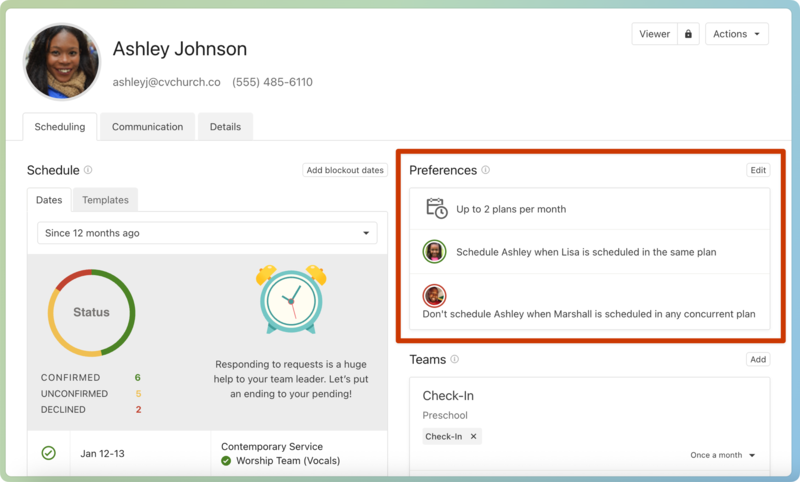
Choose the number of plans they want to serve per month.
If a household exists, choose whether to be scheduled with the member or not.
Use the dropdown in the bottom right of a team to set a specific preference for that team.
More ways to honor preferences:
Volunteers can also set blockout dates for when they're unavailable, so they won't be scheduled for a plan.
Enable signup sheets, so team members can sign up when they're available.
Set up a service type
The first thing to consider before creating a service type for your children's ministry is whether you will include a service order.
Without a service order
If you aren't going to plan an order of service for your children's ministry, you can create one generic service type for the children's ministry and add separate teams for all your different ages and classrooms (e.g. Elementary team, Infants team, Preschool team, etc.)
With a service order
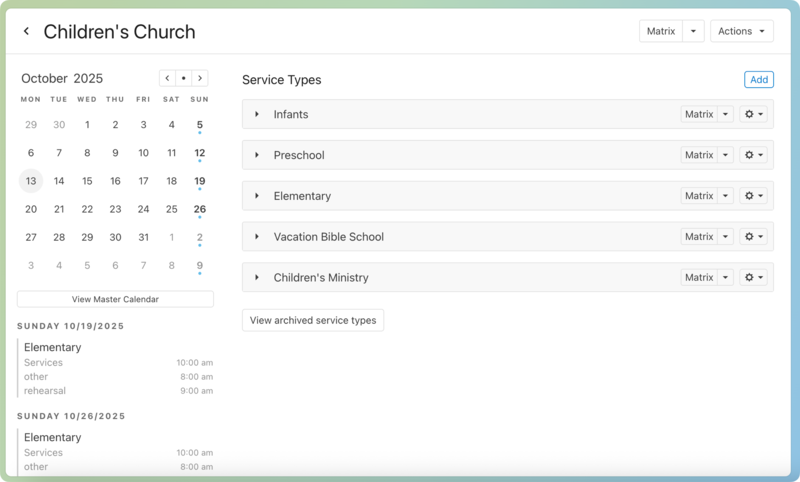
If you want to plan an order of service for each class, make a folder called Children's Ministry, and add multiple service types for each of your ages and classrooms, including special events such as Vacation Bible School.
Tip
If you have the same order of service each week, create it as a template, and use that template when you create a plan or import it into an already created plan.
Consistent scheduling
If your volunteers are on a set rotation and know which Sunday of the month they'll be scheduled each month, use templates for easier scheduling.
Tip
Templates work great if you have multiple services, too! Use split teams to make scheduling even easier.
Here's an example of how you could set up a "Week 1" template:
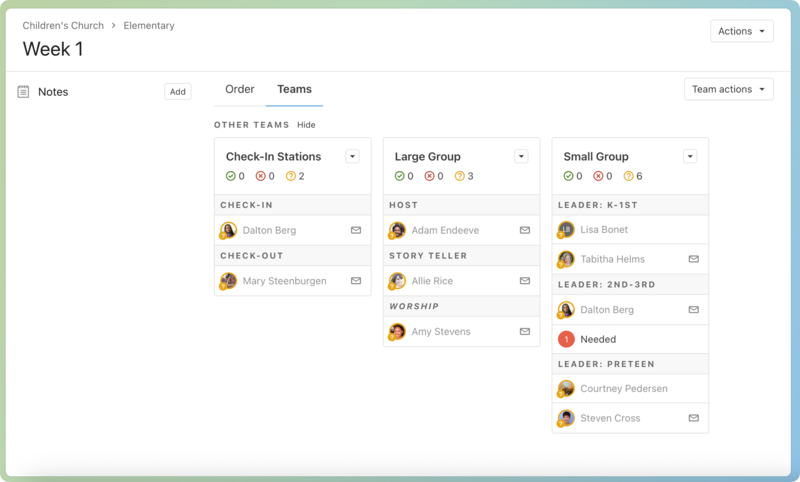
Check-In/Check-Out volunteers are shared among the classroom.
Helper and teacher volunteers are assigned for each class position.
Once your template is set up the way you want, you can import it into a plan.
Background checks
If your church requires background checks for people to serve with kids, make the teams secure teams to require background checks for team members to be scheduled.
You might also want some tag teams so a generic set of volunteers can serve in multiple locations.
For example, if you have a group of people who can check kids in at any classroom, add a Check-In tag. Add the Check-In position to any of the teams, all linked to that one tag.
Curriculum access
If you have resources for your teams, such as curriculum, songs, or scripts, you can create a media file, attach your supporting documents to the media file, and then attach the media item to a plan for people to access.
When your volunteers need the files, they can access them from the Files section of a plan.