Utilize the Overview page
Select the Overview page in the top navigation of People to view multiple types of information about your church at a glance. This article explains what each tab on the Overview page offers.
Dashboard
The Dashboard tab provides quick information on demographics, membership, profiles, and workflows. While the widgets on this page aren't customizable, you can add custom widgets to your dashboards in Home!
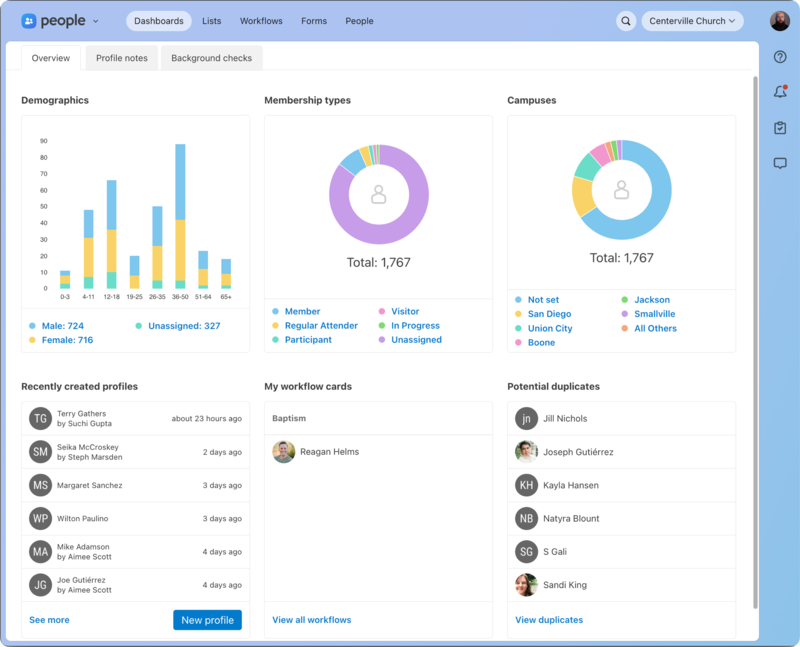
Demographics breaks down the people in your account based on age and gender.
Membership types shows the total number of people in your account based on the top seven membership types.
Campuses shows the total number of people in your account based on the campus set on their profile.
Recently created profiles displays when new profiles were created and by whom. Create a new profile by selecting New profile.
My workflow cards is where you'll find any workflow cards you're assigned to. Select the name to navigate to the card.
Potential duplicates lists profiles that may be a duplicate of an existing profile. To fix these, you can merge duplicate profiles.
Profile notes
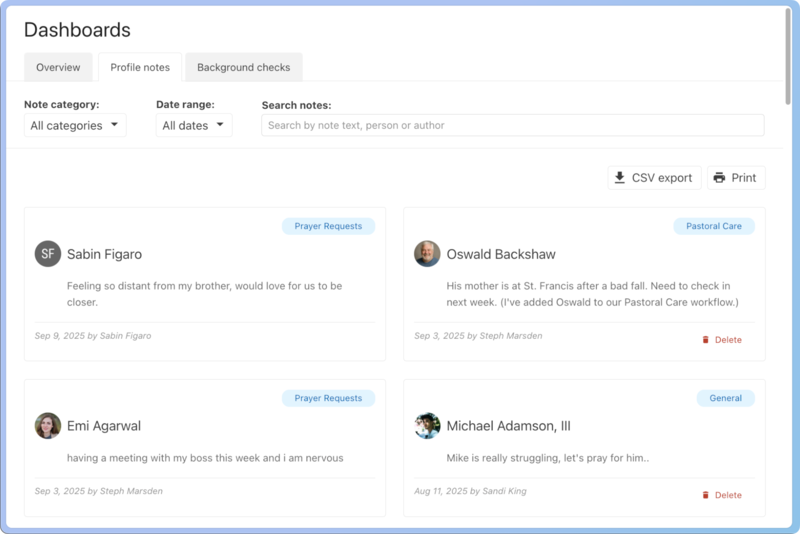
The Profile notes tab houses all your created notes. Use the filters at the top to filter by note category and date range. You can download a CSV file or print using the buttons in the top right.
Background checks
The Background checks tab shows the status of all background checks and allows you to view who has not been cleared.
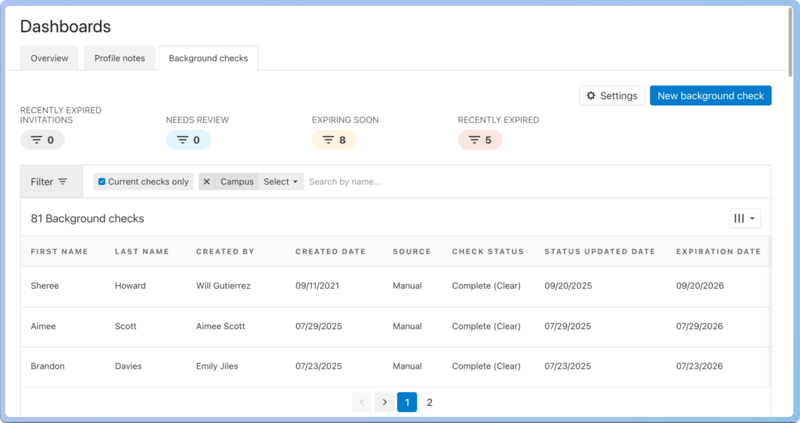
Adjust the background check expiration policy to the number of months necessary to re-run a background check, and add specific administrators who can view the background checks.
Select the New background check button to add a background check from Checkr.
Select a person's name to open their profile.
Configuration
The Configuration tab provides quick access to multiple settings in People.
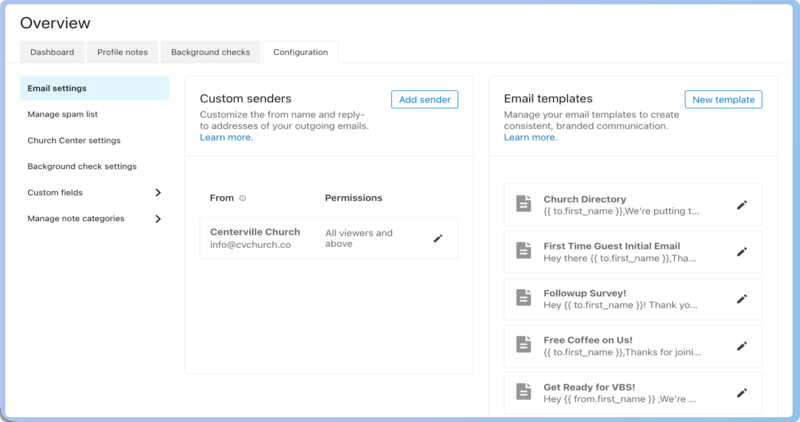
Email settings: Manage custom email senders and email templates.
Manage spam list: Block suspicious email addresses from making future form submissions by adding them to the spam list.
Church Center settings: Set up and manage Church Center settings in People.
Background check settings: manage your background check expiration policy and administrators.
Custom fields: Create your own custom fields to track the information that's important to your church.
Manage note categories: Manage your profile note categories.