Add campus information
This article will show you how to add and edit campuses for your church, each of which can have its own location and time zone.
Important
You must be an organization administrator to access this page.
If you are not an organization administrator, you can request access on the People page of Account settings or contact your church directly.
Add a church campus
Campus information is used to organize people, events, and features throughout other Planning Center products and provide important information to people using the Church Center app.
Select the product name in the top navigation and choose Account settings from the dropdown.
Select the Church Campuses tab from the left sidebar.
Select the Add church campus button.
Enter the campus name and location details, and choose whether or not you want the campus to be listed in the Church Center app search. (If you don't see this option listed, that means the Church Center app must be enabled first.)
Select the Save campus information button.
Tip
Planning Center does not limit the number of campuses you can have, but if you're adding a campus for the Check-ins Mobile Pass, remember that each Apple Pass can only hold up to 10 addresses.
Edit or delete a campus
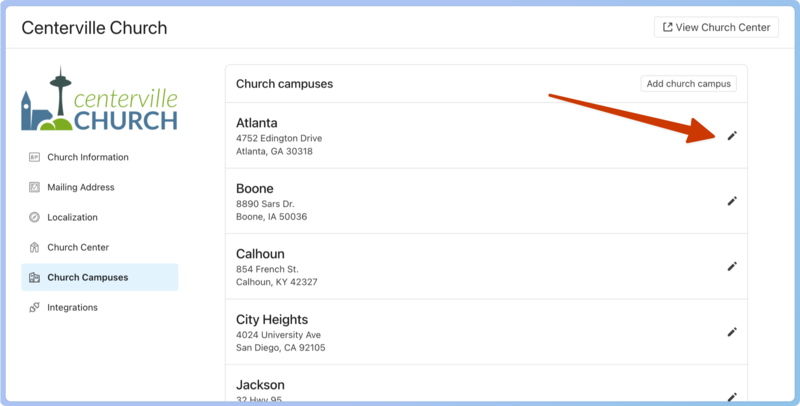
Once you've added a campus, you can edit any information that has changed by clicking the ✏️ edit icon to the right of the campus.
After making your changes, select Save campus information at the bottom of the page.
Campus info in Church Center app
If you've chosen to display campus information in the Church Center app, the church and campus name, campus address, and church website will be displayed when someone selects your church in the app.
If you are subscribed to Planning Center Publishing, there will be one Church Center home page for your church. Additional custom pages can also be created for each campus.
Check out the Set up Church Center and Publishingarticle for more information on enabling the Church Center app for your congregation.