Common donor lists
Using the Lists feature in Planning Center People, administrators and bookkeepers can create a list of donors based on criteria such as the amount donated, fund type, or recurring donor status. You can share lists with others or print them using the reports feature.
Check out the following sections for examples of different types of donor lists you can create.
Donors
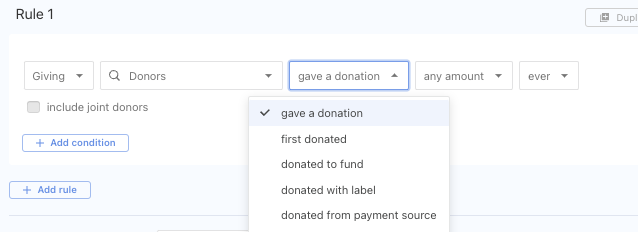
You can create a list of those who have donated before.
Amount donated
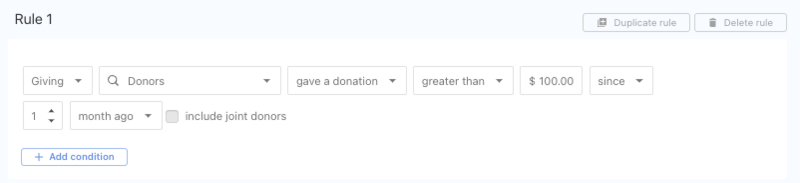
You can also create a list of donors who gave a certain amount. This list will only show people who gave a single donation greater than $100 in the last month. It will not show people who gave multiple donations totaling more than $100.
First-time donors
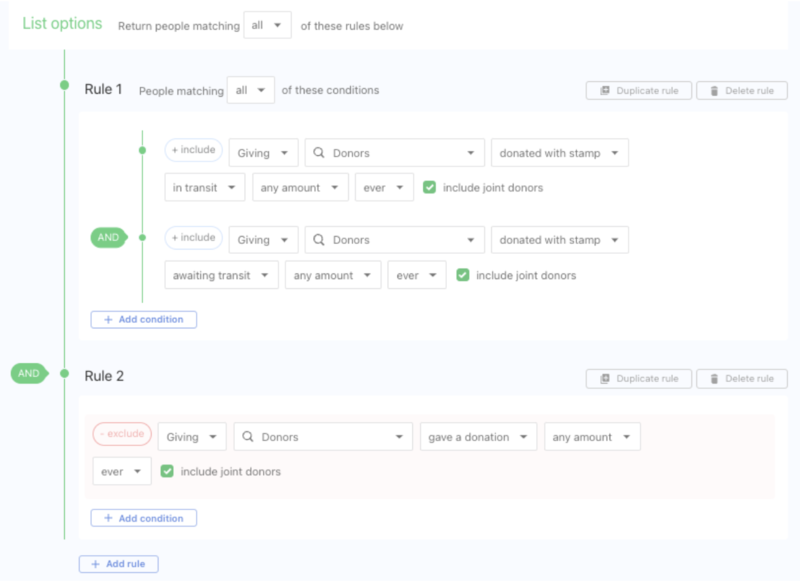
When donors give for the first time, many churches follow up with them to thank them! If you'd like to do this at your church, you can create a list like this:

Only donors with fully processed donations will be included in that list.
To ensure that all first-time donations are included in the list, add these rules:
Fund, label, payment source, or stamp
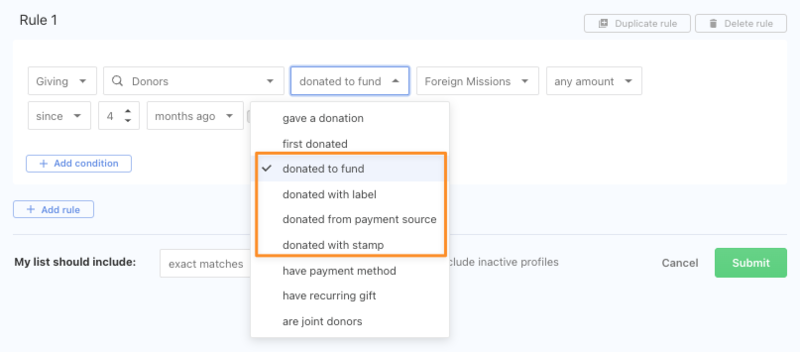
Create a list of donors by fund, label, payment source, or stamp.
Unverified bank account
Before a donor can give with their bank account, they must verify that account. Because there is a delay between adding and verifying a bank account, donors can sometimes forget to complete the process.
If you'd like to follow up with donors who haven't yet verified their bank account, you can create a list like this:

Adults who haven't given
If you want a list of all adults who have yet to donate, you must create two lists.
Create a list of donors who have made previous donations. If you want to exclude the spouse of the person who gives, make sure you include exact matches in this list.
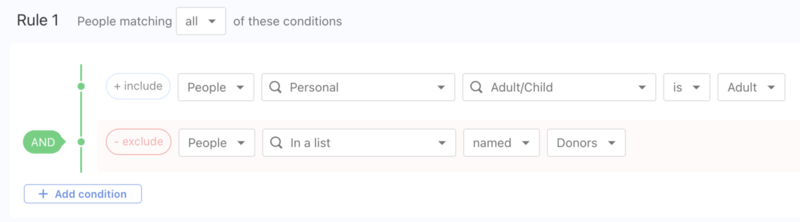
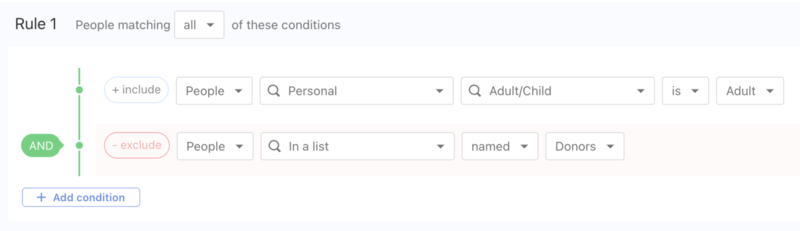
The second list shows all adults not included on the first list of donors.
Warning
Do not set this list to auto-refresh.
When lists depend on each other, they need to be refreshed in the order they were created. You can not refresh the list of lists until the others have been refreshed.
Joint donors
Create a list of donors who give jointly.
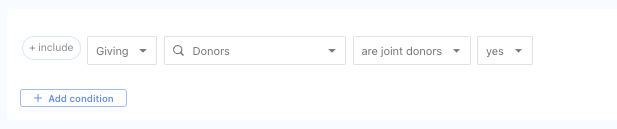
Select include to change the rule to exclude people who are joint donors.
Non-digital donors
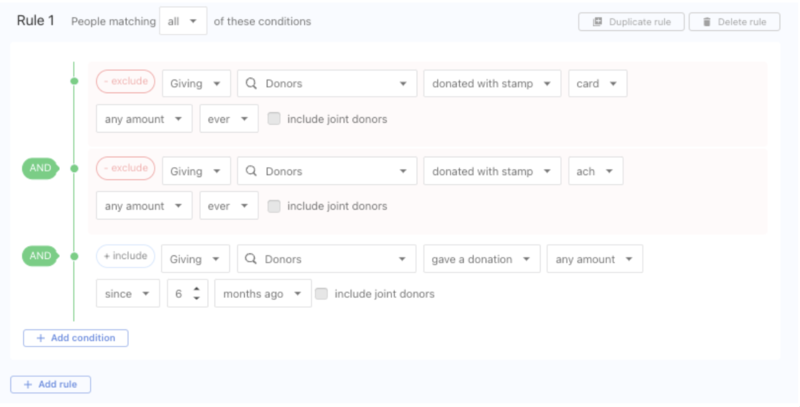
If your church can't meet in person, you can email a list of current donors who only give in person by cash or check to let them know they can give online.
Missing contact information
In preparation for tax statement season, ensuring you have all the needed information to send out donor statements is helpful. Find donors without mailing addresses or email addresses, and reach out to them.
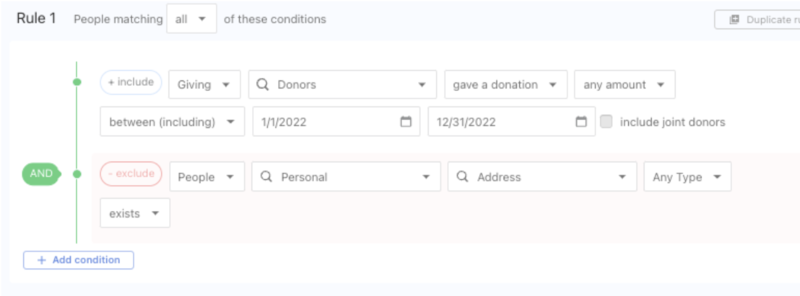
You can also include a link to a People form, asking donors to update their mailing address, as the information entered in that form can instantly update their profile.
Pledgers
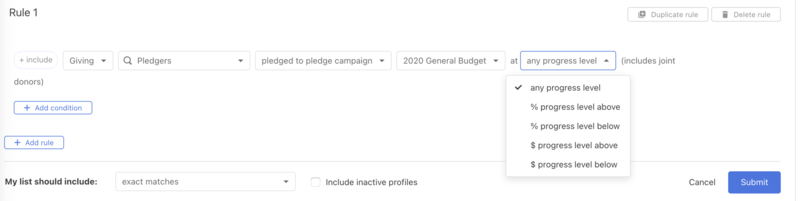
Create a list of pledgers who have pledged to a pledge campaign and view specific progress levels.
Select Lists in the top navigation in People.
Select the New list button on the right side of the page.
Select the Add rule button.
In the first dropdown, select Giving.
In the second dropdown, select Pledgers.
In the third dropdown, select pledged to pledge campaign.
Search for the pledge campaign in the next dropdown.
Select which progress level you'd like the list to show.
Select Save.
What information is not included in donor lists?
Failed, in process, or uncommitted donations will not appear in donor lists.
Only successful donations will be considered when generating List results. Refer to the ACH bank transfer donations article for more information about the ACH donation lifecycle and the batches article for information on In Progress batches.
List results will not capture cumulative donation amounts in the selected date range.
For example, if you generate a list of people who gave over $100 in a month, it would only return people who made a single donation of over $100 that month, not people who gave a total of $120 in separate $30 donations over four weeks.
You can get information on cumulative Giving totals by creating a donor report.