Common labels
The label editor in Check-Ins allows you to create custom labels for your church's specific needs. Here are a few examples of common custom labels that churches create!
Once you've finalized your custom labels, make sure you add them to your events so they can print for people who check into those events!
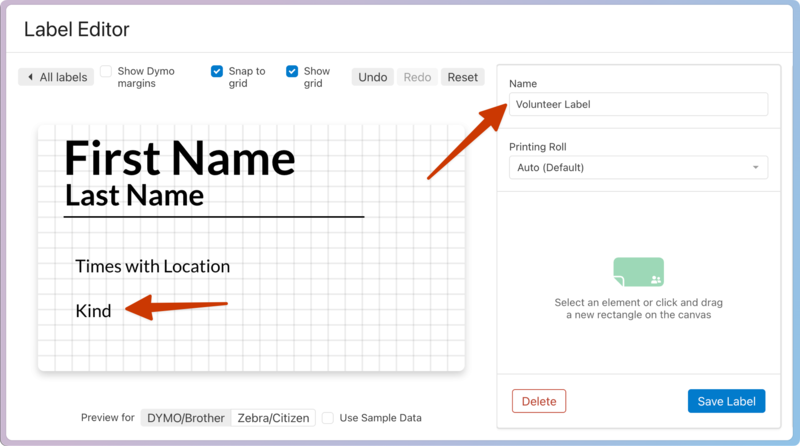
Create a label for volunteers that only includes their name, the time and location they are volunteering for, and their check-in type. The check-in type can be added using the Regular/Guest/Volunteer block under the Check-Ins Details block type.
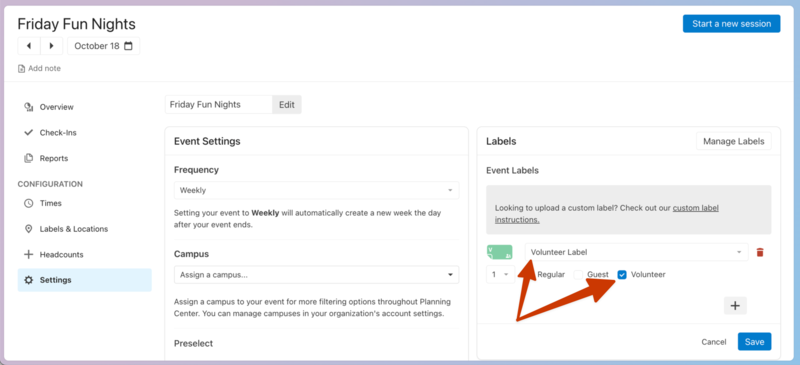
Then, you can then go into your event settings, add the new volunteer label to your event, and make sure it only prints for Volunteer check-in types.
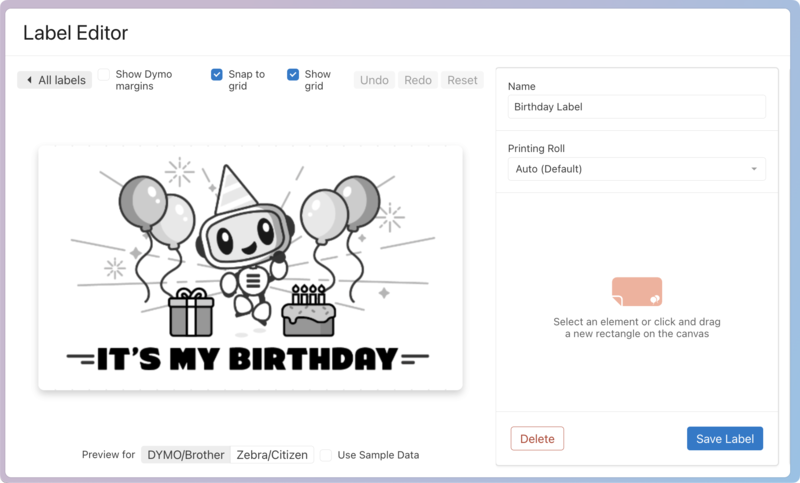
If you would like to add a person's birthdate to the birthday label, you can find that block under Person Details and add it to your label in your desired layout.
Tip
Since a person's age will not update until their birthday, and the birthday label may print before their birthday, it would be best to not add the age to this label.
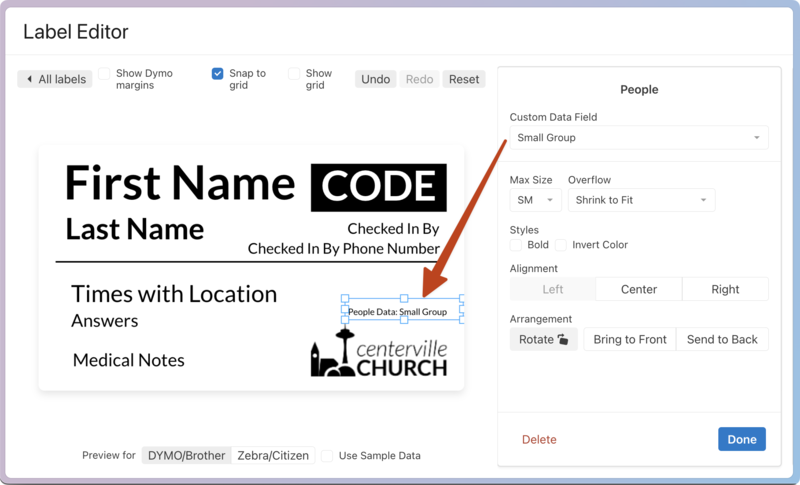
If you would like both a child's location as well as the name of their small group on their label, you can create a custom field in the People product that holds their small group's name and share that custom field with Check-Ins.
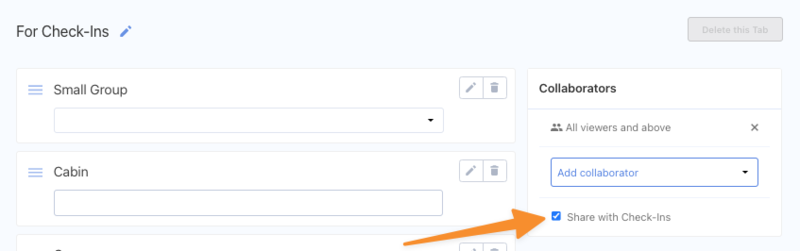 |
Then, you can add that custom data field block to a label under the People block type.
Create a label advertising an upcoming church event with event information, a QR code for people to scan to sign up on Registrations, and a promotional discount code they can use!
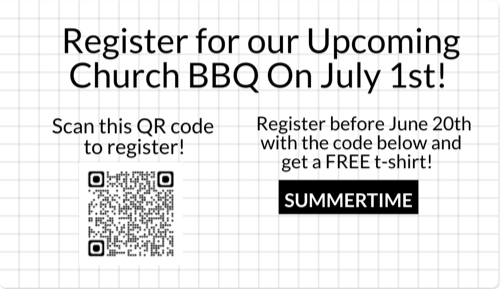 |
You can use the Security Label template so that only one of these informational labels prints per family at a Manned or Self station. The QR code can be added via the Image block type.
Do you run a camp or event where people need to access their bags? Create bag tags complete with the person's name and room/travel assignment and attach them to their bags so that they don't get lost in the shuffle.
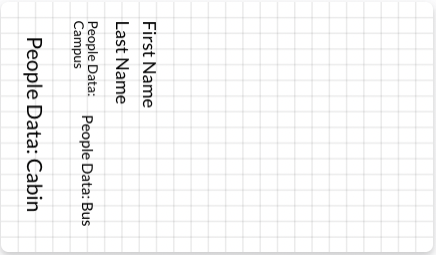 |
You can enter room/travel information as custom fields in People and add those fields to your label.
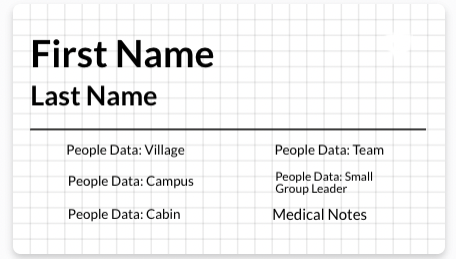
If your event requires you to turn in medication, create a tag with the person's name and their medical notes. Leave room on the tag for the nurse to add any other information, and that tag can go on a clear bag with meds in it!
 |