The People page in Services Mobile
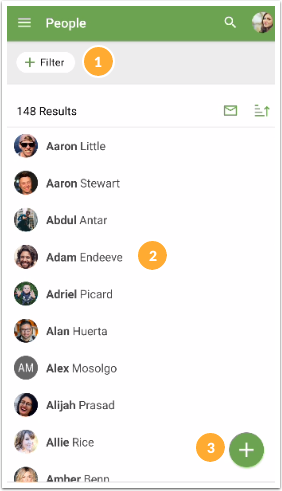
The People page in Services Mobile lists everyone with access to Services in alphabetical order by first name.
Important
You must have people and plan viewer permissions or higher to access the People page.
To access the People page:
Select People from the bottom navigation in Services Mobile.
Review or filter the list of people. Tap a person's name from the list to open their profile.
If you have viewer permissions, you can only search for and view people on your teams and related teams.
If you have scheduler permissions or higher, you can filter the list by team, tag, or permission.
Tap the ✉️ email icon in the top right to email the people included in your filter.
Tap the ➕ plus icon to add new people. The required permission level for creating new profiles depends on your organization's default permission settings.