Giving reports
Your church's finance team will likely need to generate reports about the donations you receive. Several reporting options are available in Giving, including reports on overall donation information, non-deductible donations, donor information, and more.
All reports can be printed or exported into a CSV.
Tip
Giving administrators can enable notifications to be alerted to changes in donation activity.
Want to watch a video before you get started? No problem! This seven-minute video will show you the steps in this article in action.
Dashboard
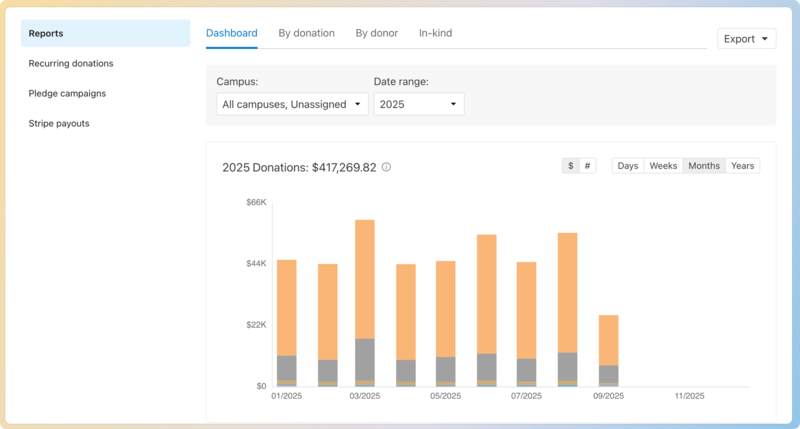
The Giving Dashboard lets you see giving trends and recent donations. Use the dashboard to view donations, new donors, labels, or funds included in the date range and campus set at the top.
 |
Reports by donation and donor
More specific reports can be generated on the By donation and By donor tabs.
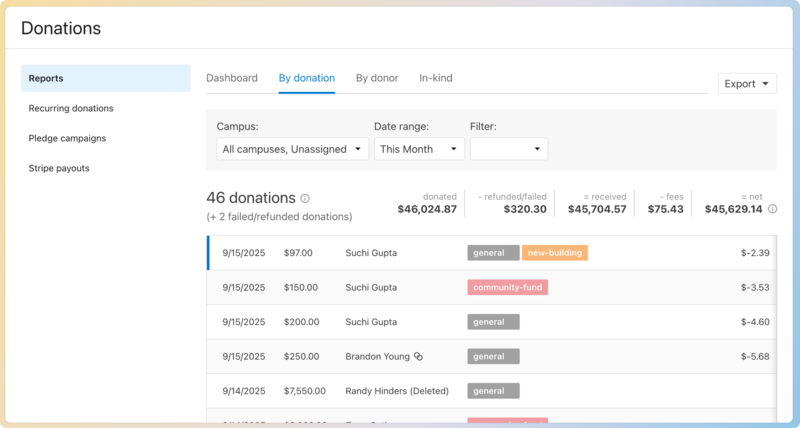
On the By donation tab, donations can be filtered by campus, fund, label, stamp, or payment source. Use this report to produce an itemized list of donations during a specific time frame.
 |
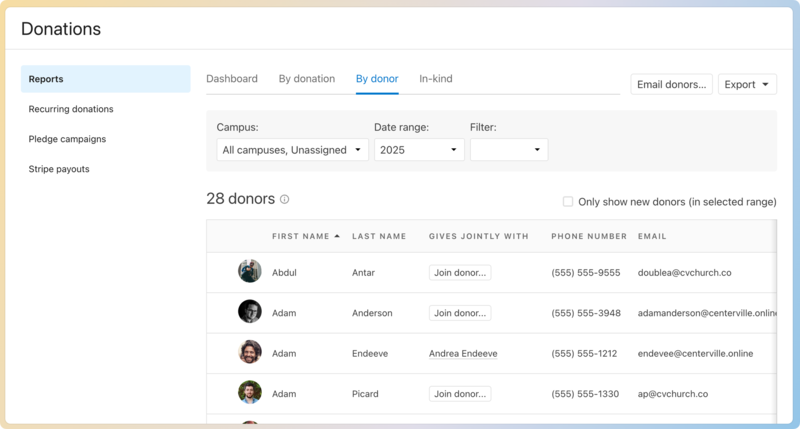
From the By donor tab, you can get information about donors who gave during a particular date range. Filter by campus, fund, label, stamp, or payment source, and sort the columns by donation totals, number of donations, etc. Send an email to the filtered list of donors by selecting the ✉️ email icon.
 |
Reports from both the By donation and By donor tabs can be printed by selecting the 🖨️ print icon or exported to a CSV by selecting the ⬇️ download arrow.
In-kind donation reports
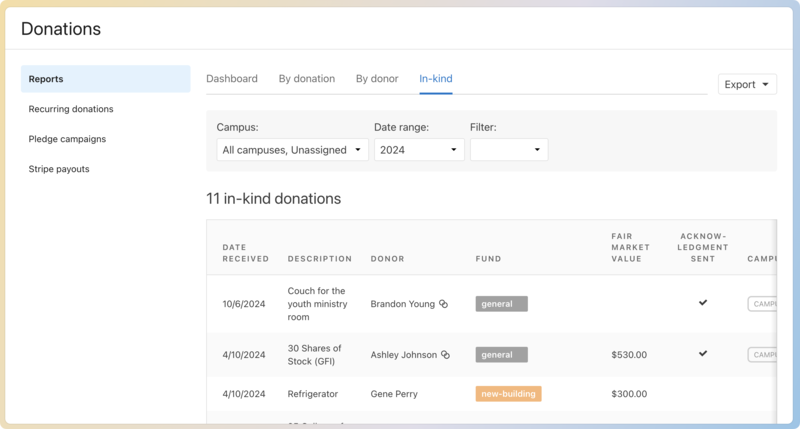
You can view all in-kind donations on the In-kind tab of the Reports page. To view more information about a donation listed on this page or to resend an acknowledgment letter, select a donation from the table to view the donor's profile.
Important
Fair market value totals are not included in donation totals outside of the In-kind donations tab or a donor's profile.
Select the ⬇️ download arrow on the In-kind tab to export a CSV of in-kind donations.
Donor lists
With lists in Planning Center People, you can create a list of donors according to the amount donated, fund type, or recurring donor status. You can share lists with others or print them using reports.
Important
This process requires access to People. If you don't have access, ask another administrator to take this step or to give you permission.
Statements
Statements provide donors with a list of successful donations over a given date range. You can send them out at any time or provide annual donor statements to assist their donors with filing their taxes and reporting their donations.
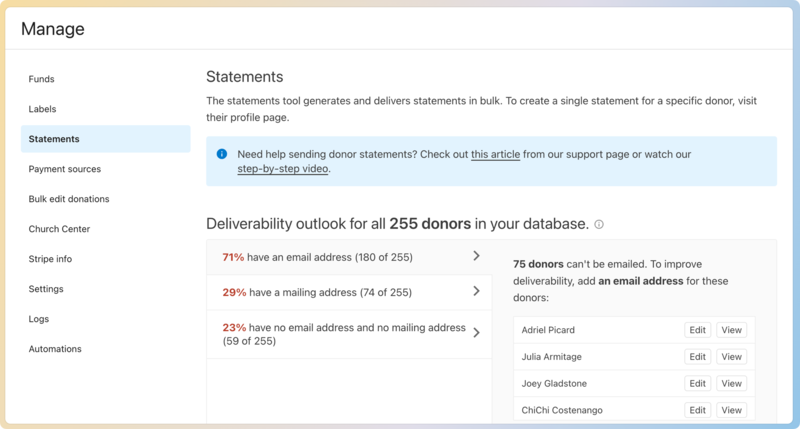
You can generate bulk statements from the Statements tab on the Manage page.
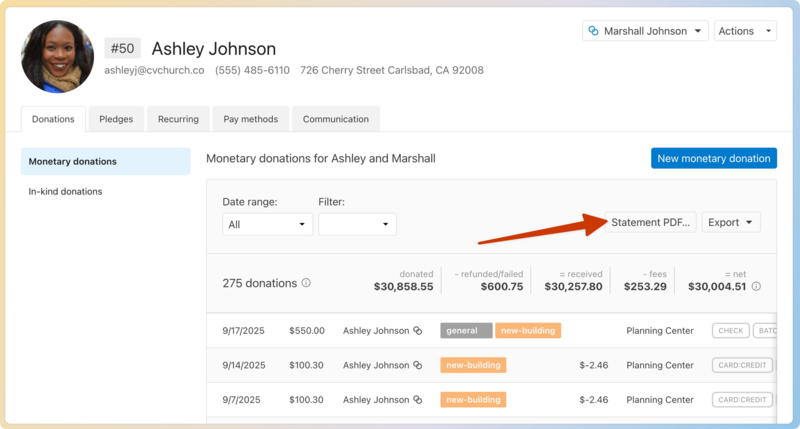
You can also generate an individual statement from a person's profile.
Payout reports
Use payout reports to reconcile the deposits (payouts) you receive to your bank account or general ledger. Payout reports can be found on the Payouts tab on the Payments page in Account settings. See View and download payouts for an overview of the reports and advice on reconciling.