Contact people after serving
After people have served at your church, you can follow up with them to get their feedback. This will help you know where you can make improvements. Follow the steps below to automatically send an email with a form to those who served, so you can view responses and follow up on them!
Create a form
The best way to get information is to create a form. You can use the form to ask about any wins the person was a part of and how you could improve your service.
Create an email template
To help people have access to the form every time they serve, add it to an email template with some specific instructions on what the team member should do.
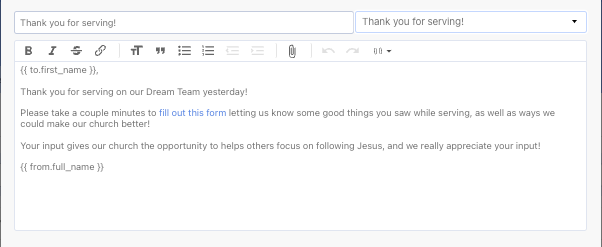
This email template will be added to an automation later.
Create a list
Find all those who served by creating a list, which will allow you to contact those people at one time.
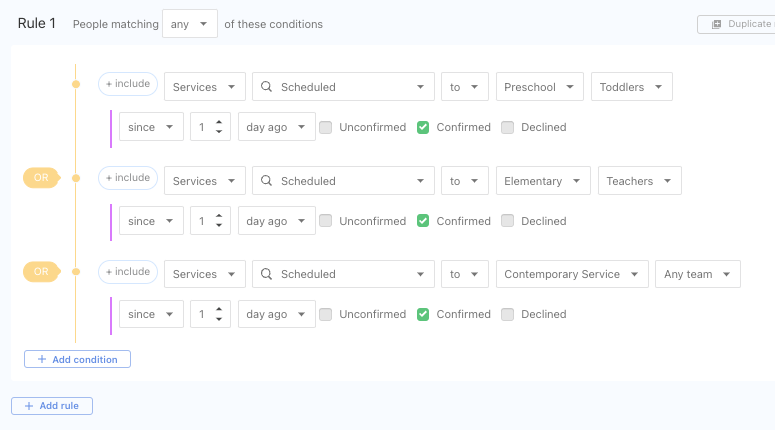
Set up automation
An automation ties all these features together! From the automations tab on the list, create an automation to email the template to everyone on the list.
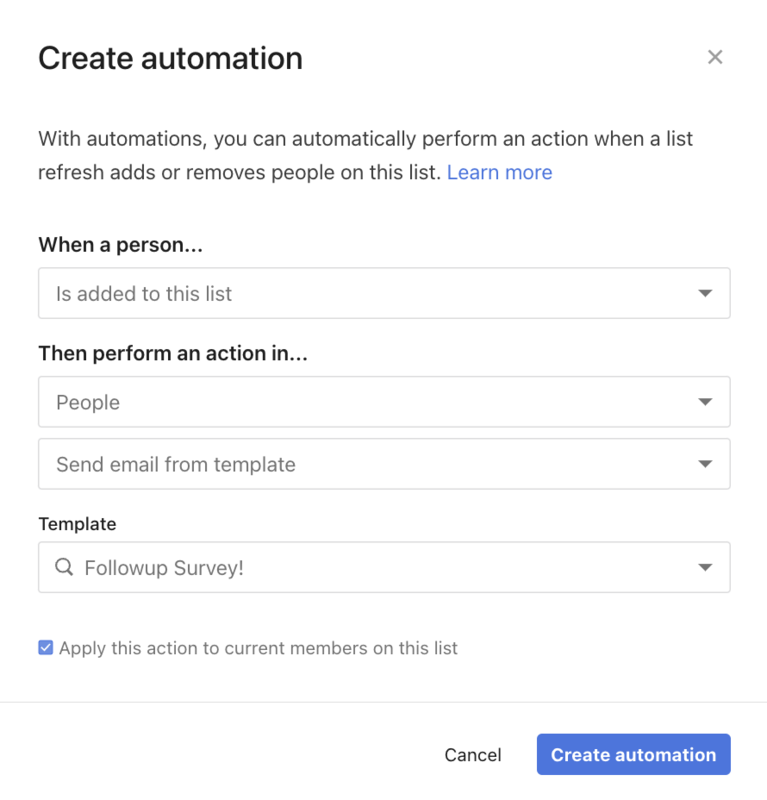
If you'd rather send a text or push notification from Church Center, you can send those manually.
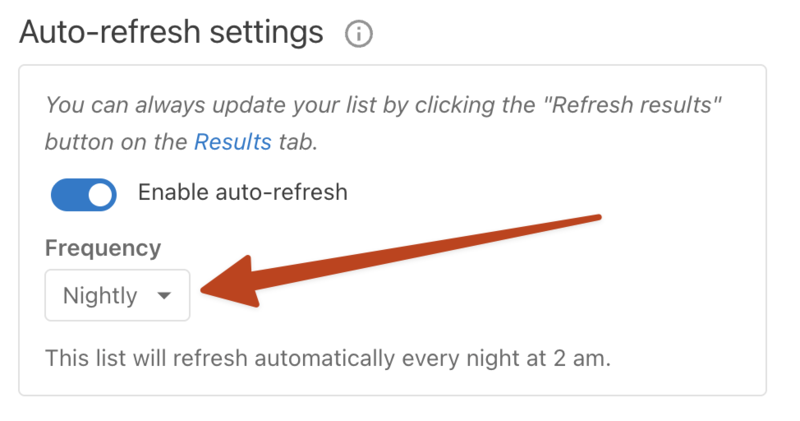
Set list to refresh
For the automation to work on its own, set the list to auto-refresh from the settings.