Organize your staff groups
Your staff needs a secure place to store shared resources and communicate effectively while balancing their everyday routines, so they should have their own groups! Create a group type to keep groups like this organized, and then train your team to use Church Center to connect and work together online.
Define a standard naming convention
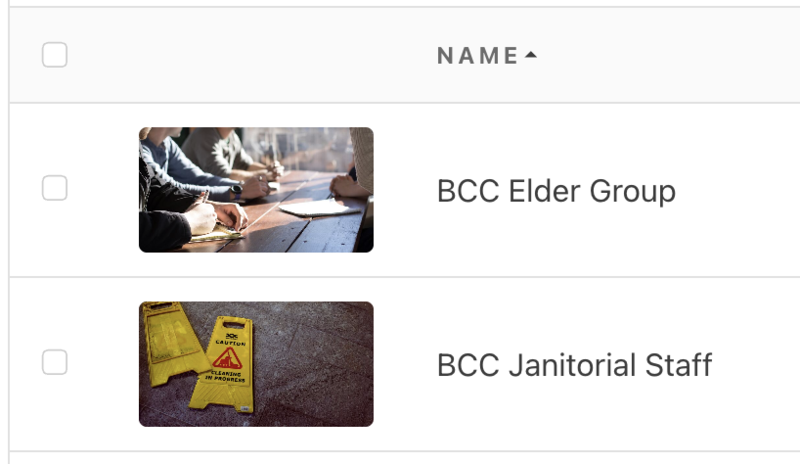
Your team might participate in more than one small group. Use a consistent and recognizable naming convention to help them easily recognize their staff groups in a list.
For example, add your church's acronym to the beginning of each staff group name.
Set group defaults
Are you creating many similar staff groups for your team? Set up a group type with default settings to quickly apply the same settings to each one.
Tip
If a specific team member needs to create events and upload resources for your staff, make them the group type manager so they can serve all your staff groups without having to be a member of each one.
Create your staff groups
With your naming conventions and group defaults in place, you're ready to start creating your actual staff groups! Check out the article on creating a group to learn more about the process.
Train members
Set the vision for each group by uploading a shared resource outlining the value of each member's engagement. Then, add people individually or in bulk to their appropriate groups. Don't forget to share Planning Center's training resources with them!
By engaging in these groups, staff can benefit from:
Easier communication: Group chats help you connect with fellow ministry leaders for planning, brainstorming, and building community.
Custom notifications: Each staff member can tailor their Church Center notifications and choose to receive alerts for new topics or events without being overwhelmed by every reply.
Centralized resources: Give access to training materials, internal documentation, and important processes, right from each staff member's phone or computer.