Take attendance in Services
You can take attendance to track which team members show up for their scheduled times.
Important
Editors and administrators can take attendance for any team, but team leaders can take attendance only for the teams that they lead.
Some of the ways you can use Services attendance information include:
Check in event volunteers in Services instead of registering them for a Registrations event.
View the events a person attended from their activity tab.
Use attendance as a condition when creating a list in People.
Take attendance
You can take attendance for a single team or all scheduled teams on a plan.
For a single team
To take attendance for a single team on a plan:
Select the Plans page in the top navigation.
If you have multiple folders, select the folder containing the service type you're working with.
Select a plan from the service type you're working with.
Select the Teams tab at the top of the plan page.
Select the dropdown arrow in the top right corner of the team for which you'd like to take attendance.
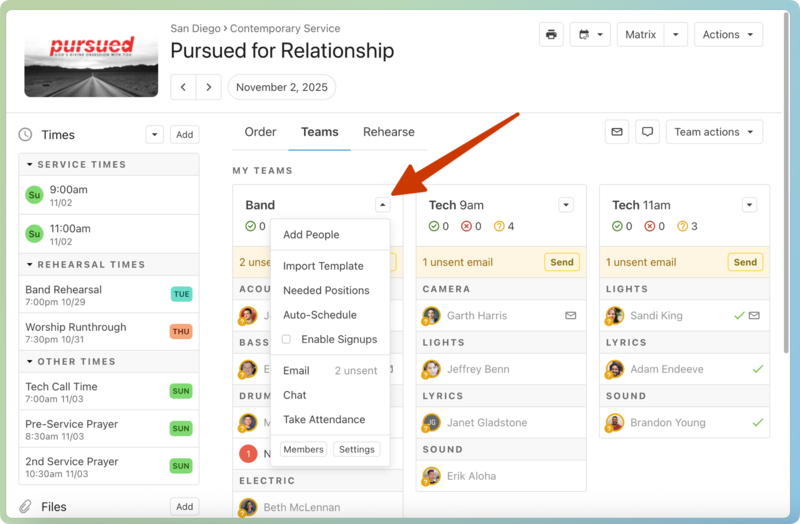
Select Take Attendance from the dropdown.
Select the time for which you're taking attendance using the Attendance for dropdown.
Check the boxes next to all team members who were in attendance.
Select Done to finish taking attendance.
Select the Plans page from the bottom navigation.
If you have multiple folders, select the folder containing the service type you're working with.
Select the service type you're working with.
Select a plan date to open the corresponding plan page.
Select the Teams tab at the top of the plan page.
Tap the arrow in the top right corner of the team for which you'd like to take attendance.
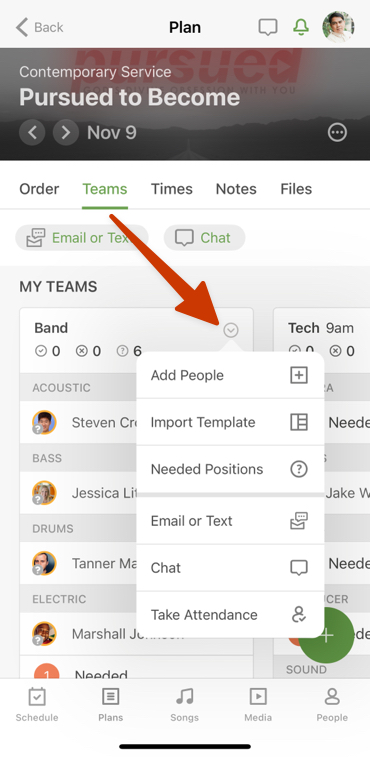
Select Take Attendance from the dropdown.
Select the time for which you want to take attendance.
Tap the check boxes next to all team members who were in attendance.
Tap Done to finish taking attendance for this team.
For all scheduled teams
To take attendance for all scheduled teams in a plan:
View attendance
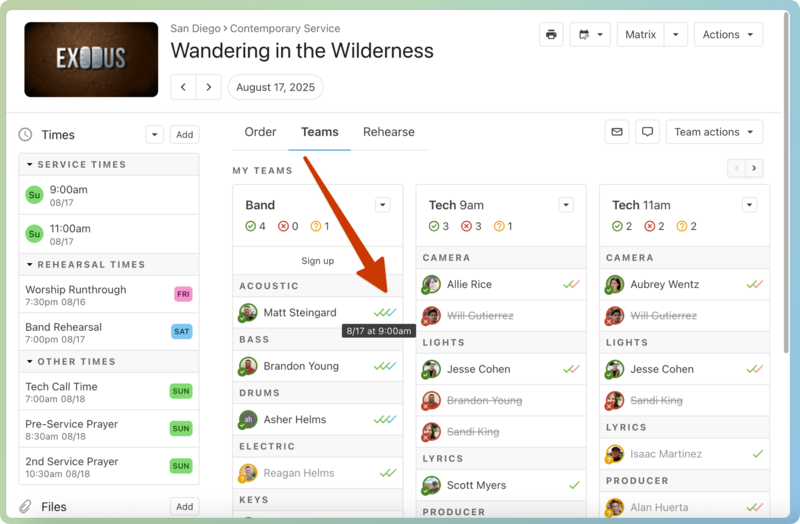
After taking attendance on a plan, check marks will appear next to any team members who were in attendance.
Important
If you use the Check-Ins and Services Integration to take attendance, that attendance will also show as a check mark next to a person's name.
Select the Plans page in the top navigation.
If you have multiple folders, select the folder containing the service type you're working with.
Select a plan from the service type you're working with.
Select the Teams tab at the top of the plan page.
Review the check marks next to each team member's name. Separate check marks appear for each time the person attended, and are color-coded to reflect the day.
Hover over a check mark to see the corresponding time.