Apply payments to registrations
After someone registers for a signup, you can apply payments to their registrations for them. If you've enabled online payments for the signup, people can make an initial payment while registering and pay their remaining balance on Church Center. Additionally, administrators can apply card payments on a registrant's behalf directly in Registrations.
If you've chosen to accept cash/check payments, are using a scholarship, or need to transfer a payment from a different registration, those must all be applied by an administrator or manager in the registration details.
Tip
If a person wants to pay toward someone else's registration, an administrator can apply the payment by following these steps.
Select Signups in the top navigation.
Choose the signup you need from the list.
Select the Registrations tab.
Select the name of the attendee you're applying a payment for.
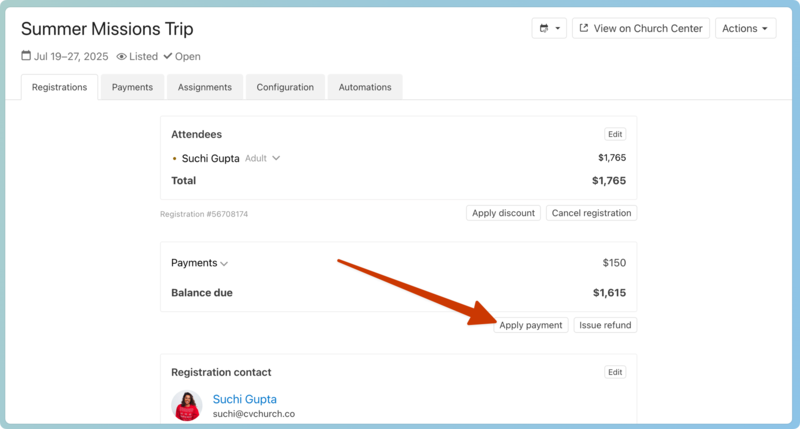
Select Apply payment under the payments section.
Choose a payment method and enter all necessary details.
Check: Enter the amount and check number of the check you received.
Credit/Debit Card: Enter the amount and the card details. After hitting submit, the registrant's card will be charged.
Cash: Enter the amount of cash received and a note, such as who received the cash or when it was physically received.
Other: Choose Other for situations such as transferring funds from one person to another. Enter the amount and leave a note.
Scholarship: If you have a scholarship set up, choose to apply a payment directly from the funds available.
Important
Administrators cannot apply bank payments, and saved payment methods a person has added in Church Center cannot be used for payments processed by an administrator.
Choose to send a receipt to the registration contact or any other attendee included in the registration with an email on their profile.
Select Submit to apply the payment.
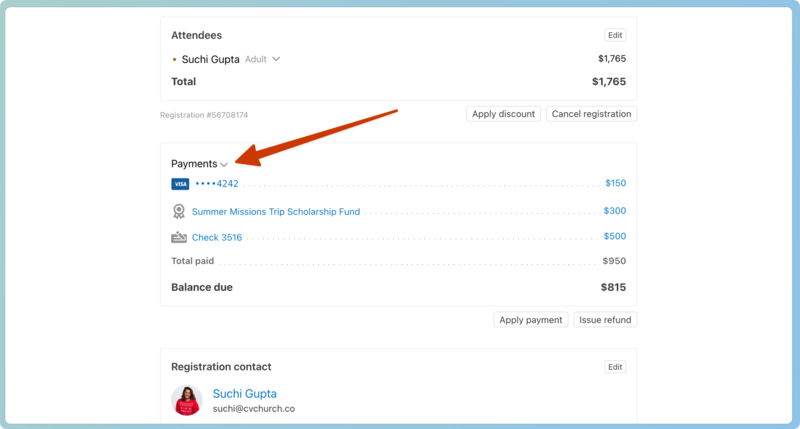
Once you add the payment, the balance due will change, and you'll see the breakdown of payments by expanding the Payments section.
Important
All payments are applied to the registration total, not individual attendees.
You can also apply a discount or issue a refund to a registration.