Transfer funds
You can transfer your attendee's funds from one signup or registration to another. Transferring funds allows you to combine registrations for people who accidentally registered twice, avoid extra payments, and save on processing fees.
Issue a refund for the payment
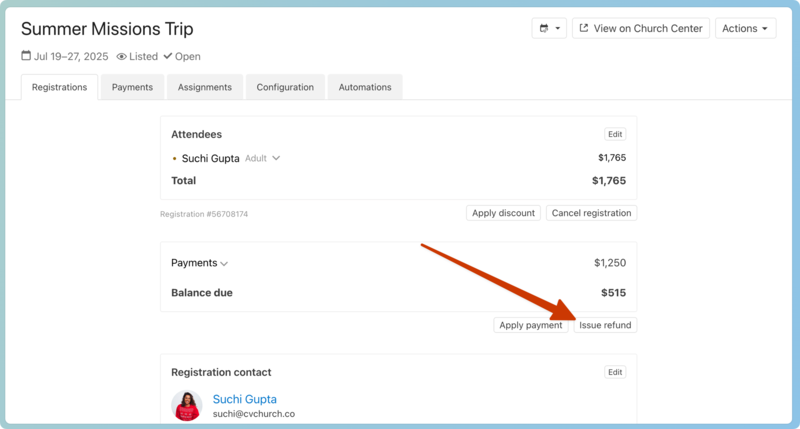
From the registration where the payment was made, select Issue refund.
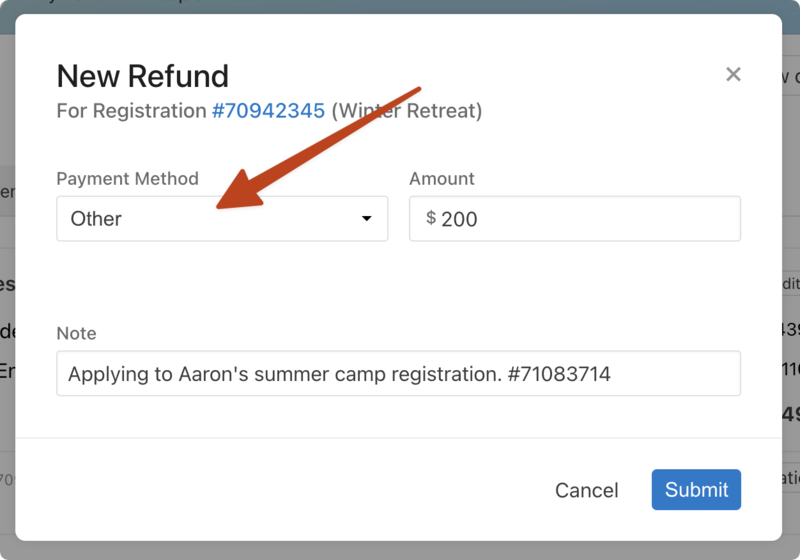
Refund to Other, not the original payment method. Include a note about where you're applying the funds and the new registration number so it's easy to track down.
 |
Apply the funds as a new payment
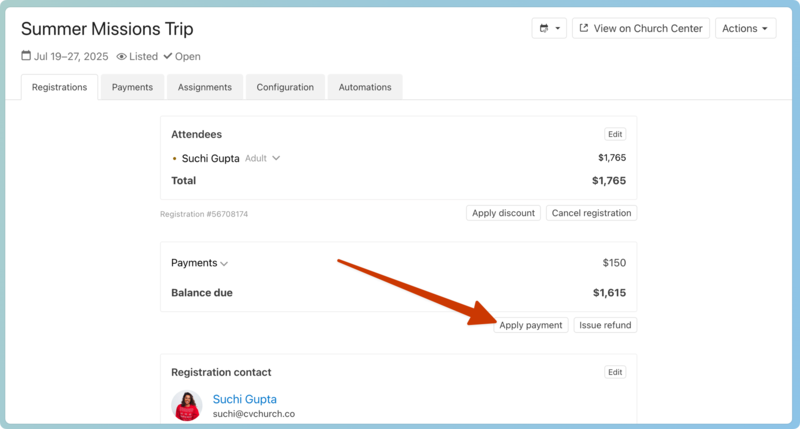
Open or create the registration receiving the funds, then select Apply payment.
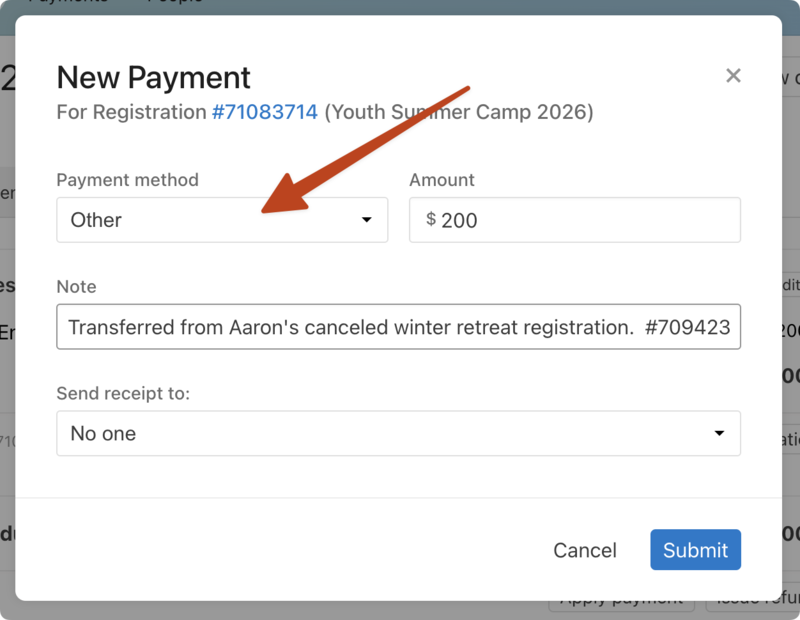
Again, choose the Other payment method, not the original payment method. In the note, enter the signup, person, and registration number for the originally paid money.
 |
Tip
Remember to send the receipt to the registration contact so they know the funds transfer has been made.
View the transaction history
You can see the transactions on the Payments tab of each signup or the Payments page.