Help people update their profiles
Once you have your church members' information, ensure it stays current! Your church members can update their personal information in their Church Center profile or by using a form you create.
Update their Church Center profile
Members can log in to Church Center to update personal information such as profile photo, gender, marital status, and more. Household adults can also update profiles for their household members and add or remove people from their household, if you've allowed that.
People cannot edit names or any fields with a 🔒 lock icon. Locked fields can only be edited by an administrator. You control which fields are locked in Church Center settings.
Tip
Share the Update your profile in Church Center help article with your congregants so that they know how to keep their information current.
Fill out People forms
Forms can be used to add new people and update existing people.
Forms allow you to collect more information than what's available through Church Center, but there are a few things to keep in mind:
Congregants need to use the email address on their existing profile to avoid creating duplicate profiles.
If the form makes changes to their profile and they aren't logged in, they will receive an email asking them to verify the new information before it is applied.
Congregants can only update a limited set of profile fields for their household members using the Household members field. To update additional fields, they should use Church Center.
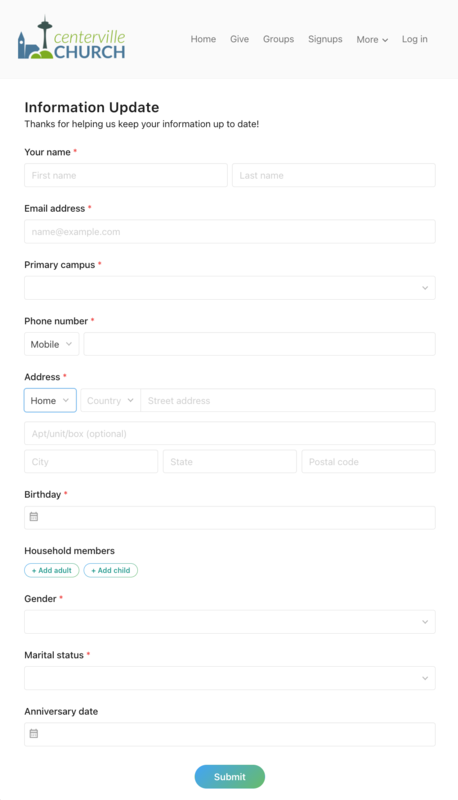
Fields that can be updated using a People form:
Contact information
Profile information (birthday, gender, grade, school name, marital status, anniversary date, primary campus, and medical notes)
Profile notes
Custom fields
Household member information