Adding family information
When a family comes to your church, they need an easy way to enter their information, like their address, child's grade, or spouse's phone number. Create a form for household information, so people can add their families and keep their information up to date!
Add a household members field to the form
While creating the form, add a Household members field from the options in the right sidebar.
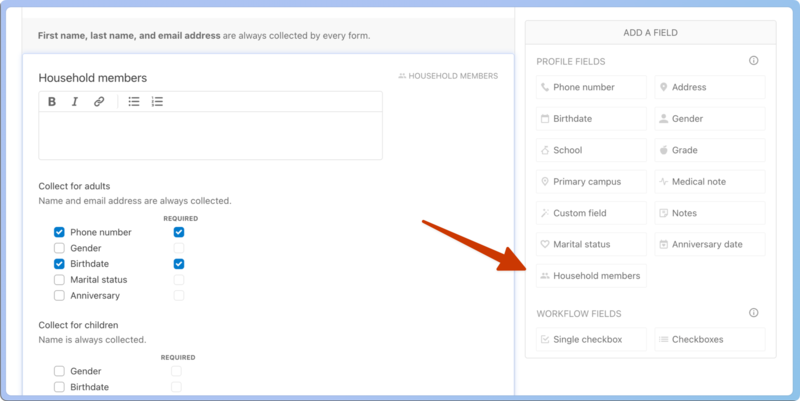
Then, select the Household members field in the body of the form to choose which household information to request from congregants and which of those to require.
Preview the form
Once your form is complete, select View on Church Center at the top of the page to see how it will look to congregants.
Households are designed to include two main guardians of the family and any non-adult children, so people can only add one adult besides themselves to the household.
Share the form
Select Get QR Code at the bottom of any Church Center web page to view and download the QR code for the page. Use this code for a church bulletin, a lobby poster, or an announcement slide. People can scan the QR code to go straight to this URL without typing it.

Tip
Print QR codes on Avery 22805 square stickers and put them in prominent places at your church!
Once the form is submitted, profiles are created for the submitter and their family members, and they will be automatically grouped into a household.