Common request forms
Event request forms allow you to gather event requests from people who don't have access to Calendar. These also come in handy if you'd like to have an approval process for events that don't need rooms or resources.
Learn how to create some common request forms below to gain experience in how forms work, get important information about an event, and reduce time spent on data entry!
Important
For any of the examples below, make sure to set a form field as required if you need that specific information to complete a request.
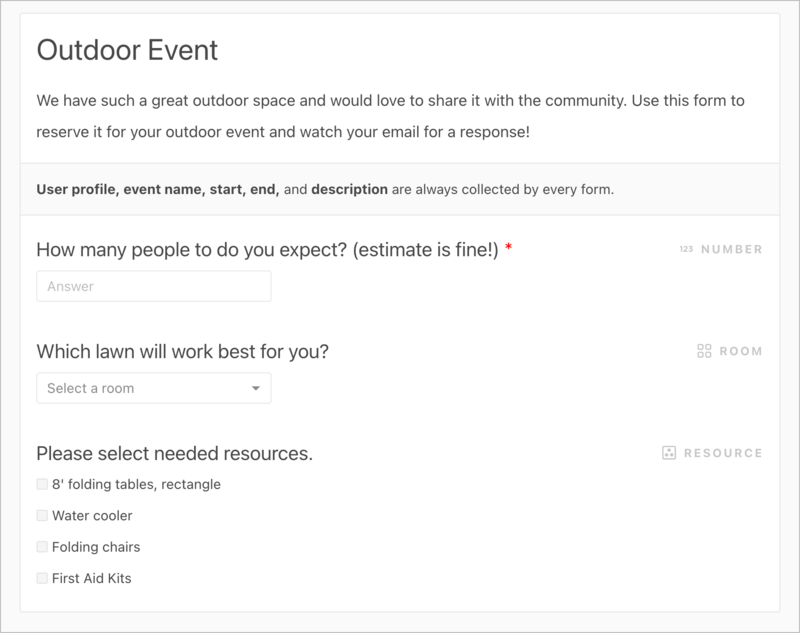
Create a specific form for people to reserve your outdoor areas. You can add commonly used resources as options to help people reserve the right equipment.
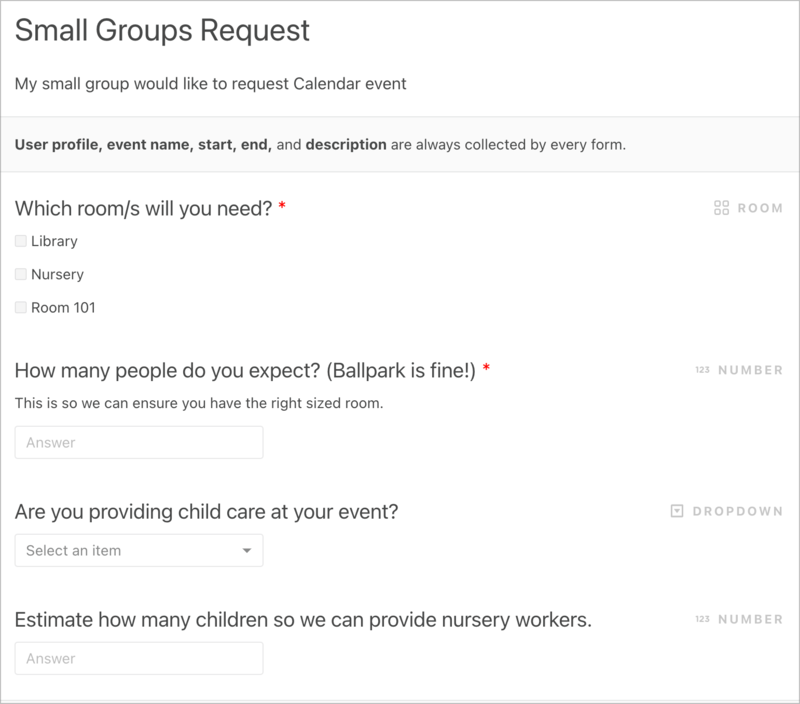
Even if your small groups typically meet outside of church, there may be times when a leader wants to have a meeting at your building. Set up a form for these requests that gathers the details you need.
Tip
You can give your groups access to this form in Groups.
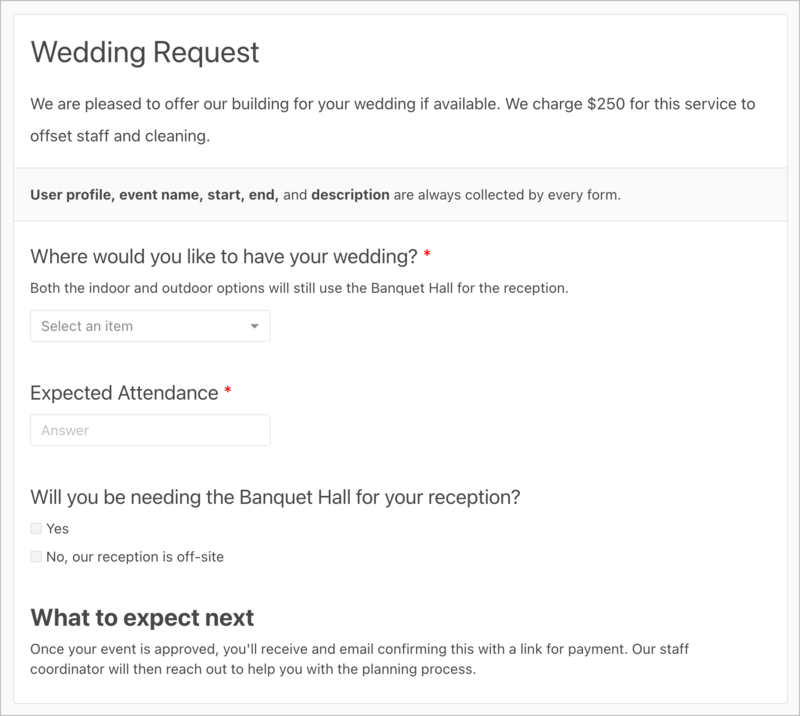
Hosting weddings in your building requires a lot of coordination, including verifying you have enough resources, accommodating an on-site reception, and much more! Determine which information you need to support wedding requests for your building and add corresponding form questions to ensure every detail is remembered.
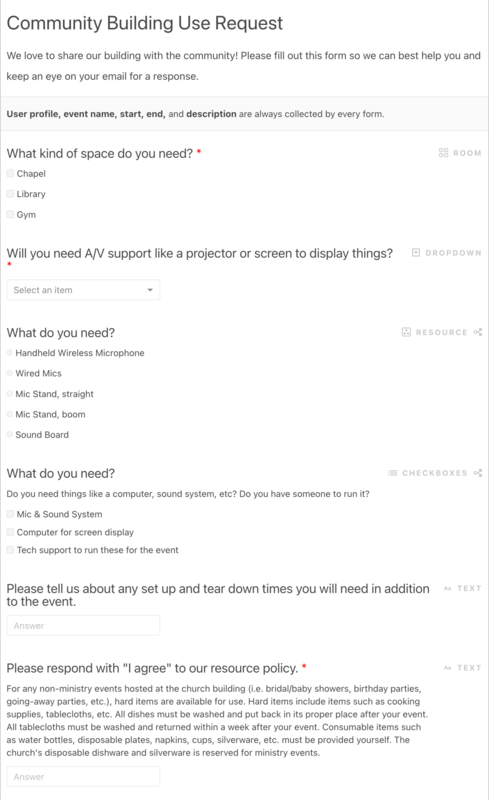
Allowing the community to use your building is a great way to be a vital neighbor. Collect all the information you need upfront by requiring a completed form for these requests!
Tip
Use a Paragraph block to require agreement with your policy, like the example below.