Tips for multiple campuses
Make working with multiple campuses easier by setting up Folders for each campus, reusing Service Types, and running Services LIVE for more than one campus.
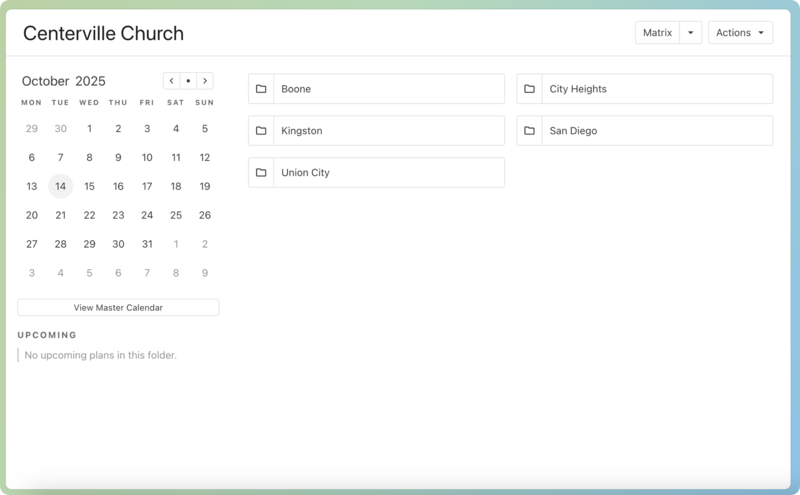
Create a folder for each campus
If you have multiple campuses, use folders for each campus. You can put multiple service types in each campus.
Reuse service orders
If the order of service for one campus will closely resemble another campus, go to the plan that you want to copy, select the export button, and only check the box to copy Items to your plan (not teams).
You can use a custom matrix to manage multiple campuses while planning. Copy plan items and team members across campuses by dragging them from one campus's plan to another.
Services LIVE
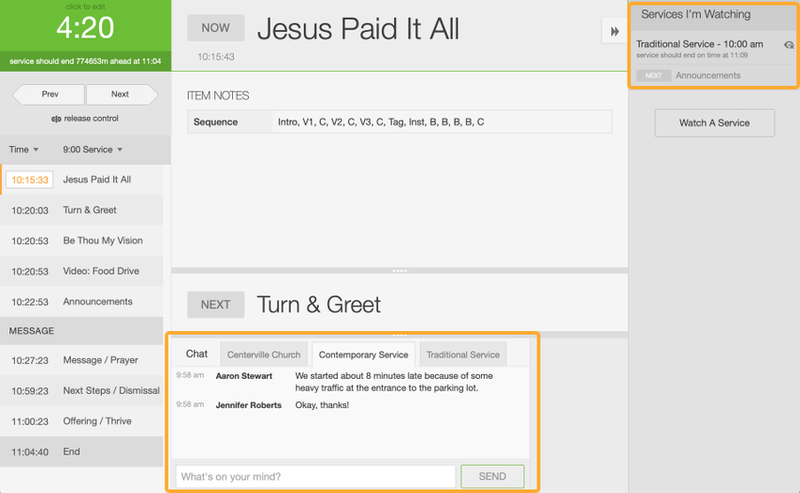
When using Services LIVE, you can watch the progress of other campuses that have simultaneous services and even chat with those using LIVE at those places. This is particularly useful if you are trying to sync up the time for something, like if you have a live feed going to all your campuses.