Plans: Order of service
People with editor permissions and above can add and edit plan items from the order of service.
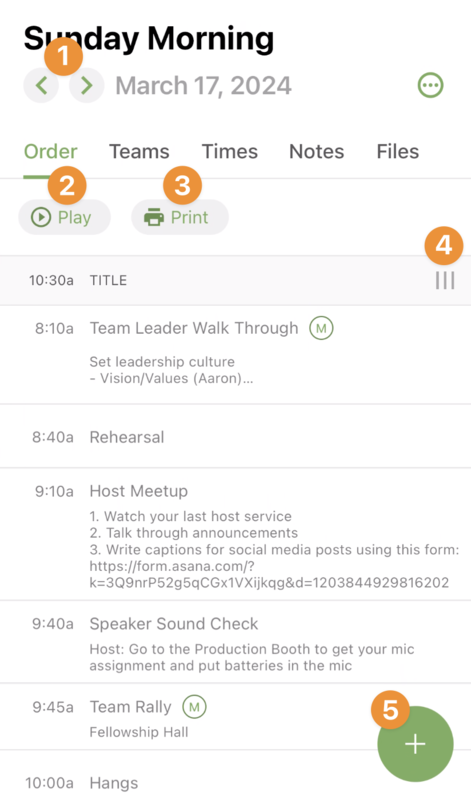 |
In the header, you can go to the plan before or after.
Open the media player.
Print the order of service using a report template.
You can also change the view of the columns shown for each item.
Add plan items to the order.
Add plan items
To add an item to the order of service, tap + and drag and drop one of the item types to the position where you want it in the service order.
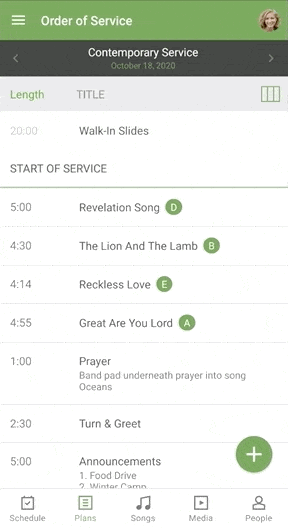 |
Select the item that you want to add, make any necessary updates, and then save it to add it to the service order.
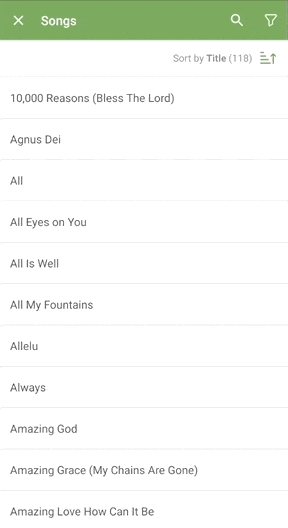 |
Tip
When adding a song, you can import the item notes you entered the last time you used a song in a plan.
Edit plan items
Tap on any plan item to edit it.
You can edit the length of the item, add a description, add notes, arrangements, or media, or view files.
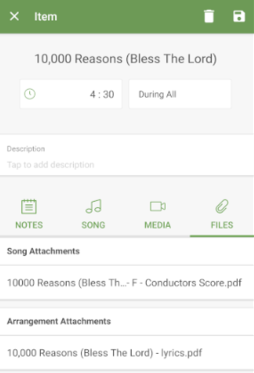 |
If you're on an Android device: Unlink a song by tapping the option menu and selecting Unlink Song.
If you're on an iOS device: Unlink a song by swiping the song name to the left and tapping Unlink.
Save it at the top of the page, and you'll be taken back to the order of service.