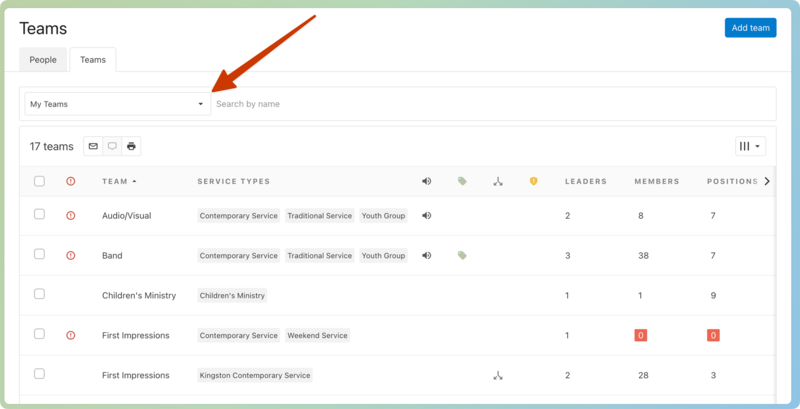
My teams
My teams are teams that you are a member of, a leader for, or related to teams that you are a member of. On a plan, those teams will show first, and you can filter the People and Teams tabs on the People page to show a list of your team members and teams.
Important
On the People page, viewers can only see people who are on their teams. Organization administrators can choose to require this filter for other permissions, as well.
The People tab
The default filter on the People tab allows team leaders to view people from any teams they lead.
Select the arrow next to the pinned Teams: Any I Lead filter to update the list of people. Use the checkboxes to include or exclude teams from the list.
The Teams tab
The Teams tab gives you the option to filter for My Teams or a list of teams based on other criteria.