Create a ministry-specific page
If you need a page to hold information for one of your church's departments, you can create a custom page with the specific details you want to share. This page can display meeting information, event signups, and social media links for your ministry.
Once you publish your ministry page, add it to your navigation!
Important
A subscription to Publishing Plus or Premium is required to create custom pages.
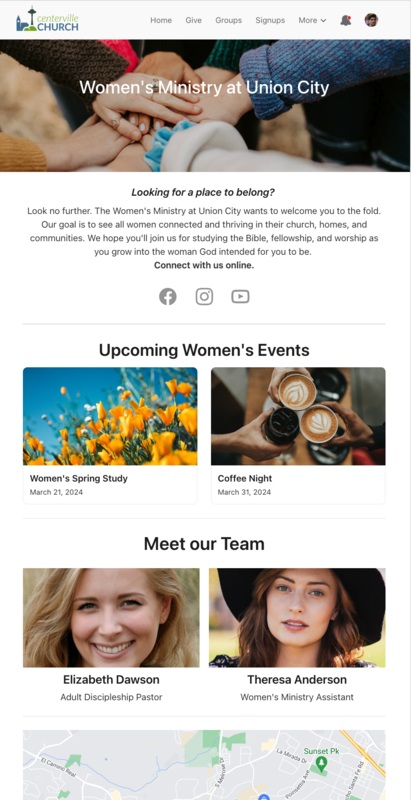
Ministry page elements
Check out the table below for examples of typical ministry page elements and how to create them in Publishing.
Page element | How to create in Publishing |
Introduction | Include a welcome message and description of your ministry in a text block. |
Social media accounts | Include links to Facebook, Instagram, or another platform where you share information online in a social block. |
Location | Add a location block to display your church's address or the location of a specific meeting or event. |
Upcoming events | Show upcoming ministry events using a Calendar or Registr44ation block. Filter events by campus or category, and choose the number of events to display. Past events automatically disappear. |
Introduce the team | Use a grid block to display photos, titles, and names. |
Showcase information | Highlight important information using a section header or image block. |