Touchless Check-Ins
If you want to help people check in without touching another screen or interacting with others, you can use a station and ask them to download the Church Center app!
Self Station Settings
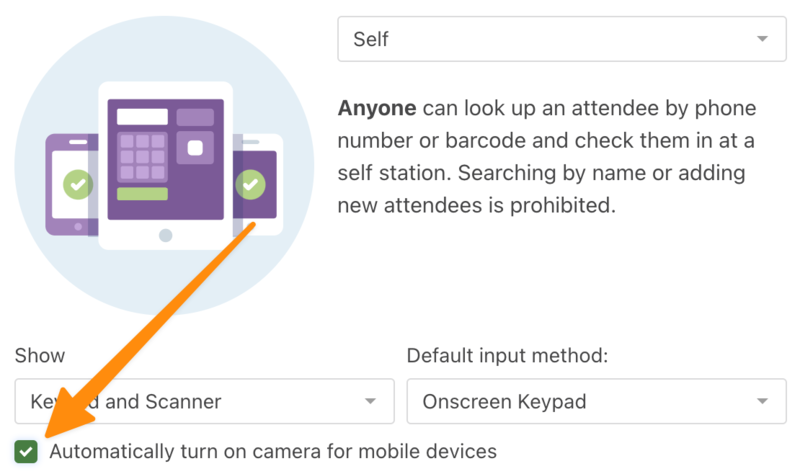
To ensure a touchless experience at self stations, check the Automatically turn on camera for mobile devices box to turn on the camera for mobile devices in the Station Settings.
Important
You must allow the Check-Ins app to access the camera in the device's settings.
Scan to Check In
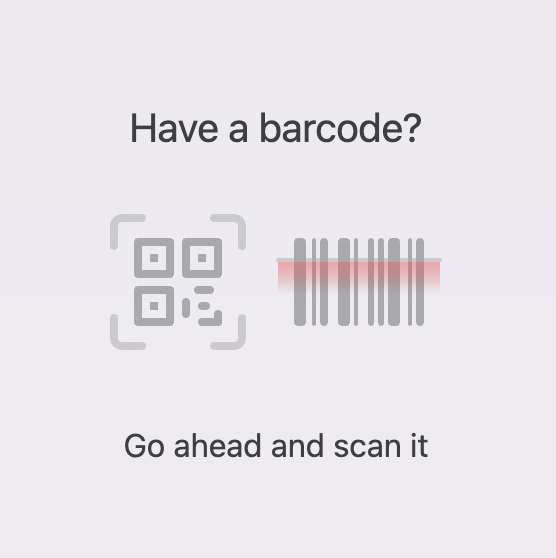
When congregants arrive, they can scan the Church Center App QR code to check in.
Important
If the camera is set to automatically turn on, this screen will just be an open camera.
No scan to check in
If you don't need labels to print and don't want people to have to scan to check in, enable the Allow Complete Check-In setting in your Event Settings. You can also hide the event in Church Center until the show-at time.