View communication history in Registrations
Planning Center records every email sent and received through the system for at least three months. You can view a person's email history to make sure everything was delivered.
Administrators can view copies of sent emails on an attendee or registration contact's Communications tab in their profile Registrations. Only managers who have access to the People product can view the Communications tab in Registrations.
View your own communication history
View your sent and received email history from the Communications tab in your profile.
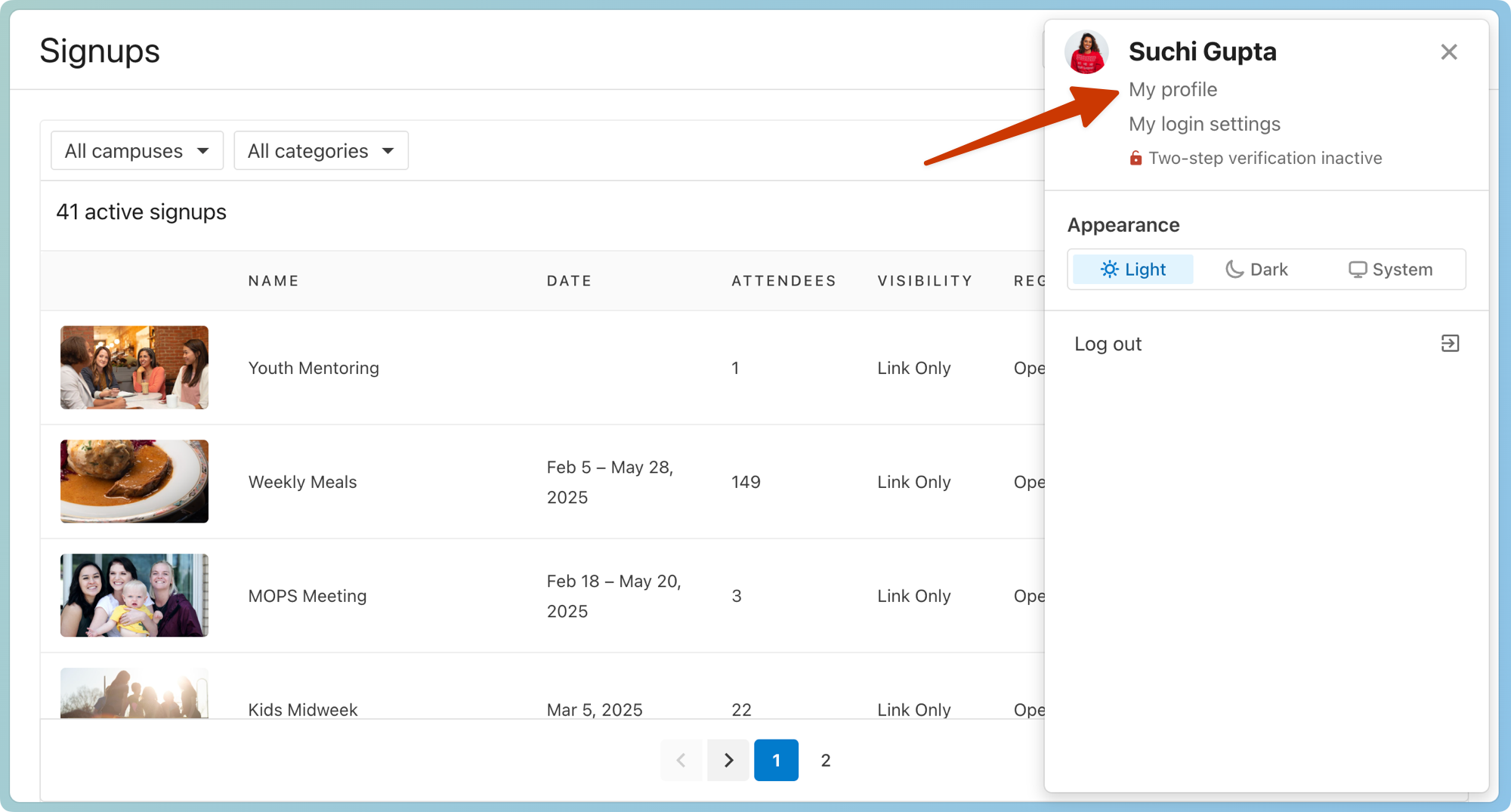
Select your profile picture or initials in the top right corner of any page in Registrations.
Select My profile.
Select the Communications tab on the left.
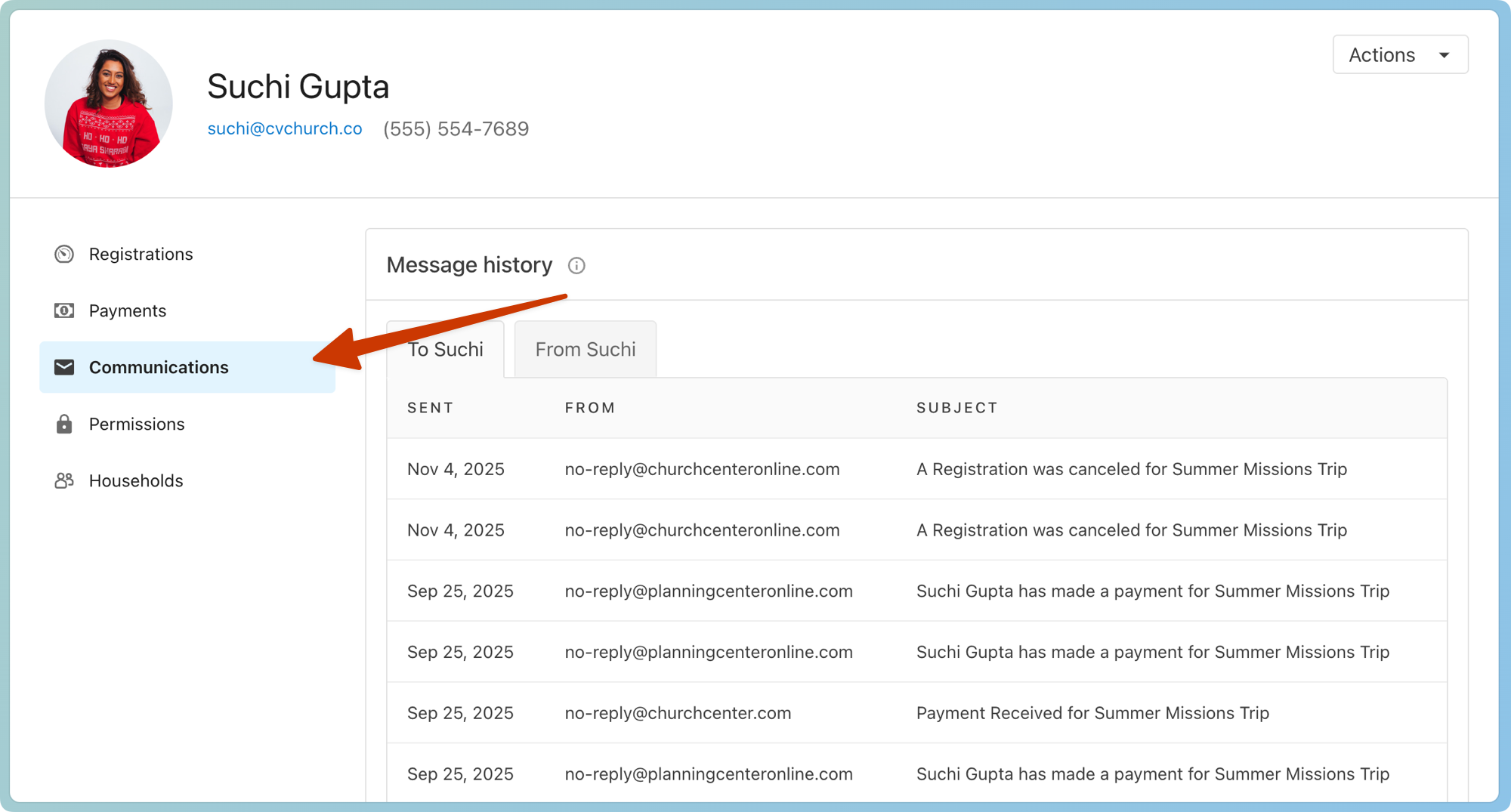
Select the To tab to view any emails you've received from Registrations.
Select the From tab to view any emails you've sent from Registrations.
Choose an email to view its contents.
View another person's communication history
View another person's email history from the Communications tab of their profile.
Select the People page in the top navigation in Registrations.
Search for the person's name in the 🔍 search box.
Select their name from the search results.
Select the Communications tab on the left.
Select the To tab to view emails they've received from Registrations.
Select the From tab to view emails they've sent from Registrations.
Choose an email to view its contents.
Undelivered emails
View a list of the emails sent to a person through Planning Center, including those that are undelivered, from the Communication tab on their profile.
Search for a person's name using the 🔎 search icon in the top right.
Select their profile from the results.
Select the Communication tab on their profile.
Open an email highlighted in red to see if it failed or was dropped. You can hover over the failed indicator to view the error code.
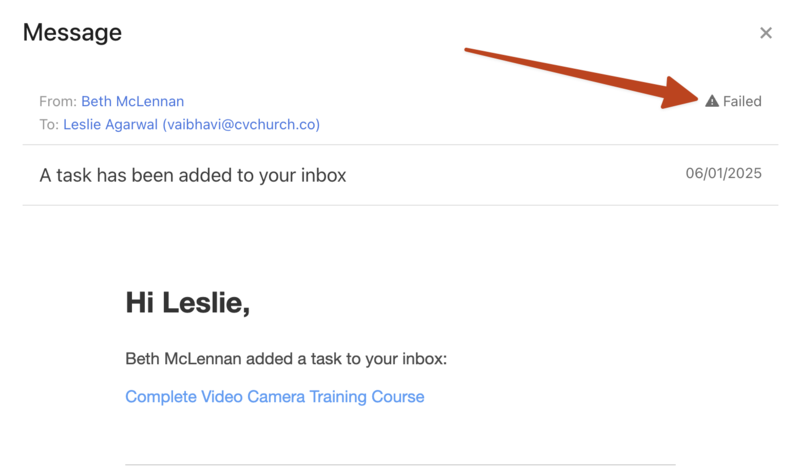
If someone mentions they didn't receive an email, or you see that an email failed to be delivered to them, check in Planning Center People to make sure their email address isn't blocked.
If they still do not receive emails after unblocking their email address, contact support for additional troubleshooting by selecting the question mark (?) in the toolbar in Planning Center.