Unblock email addresses
If people are not receiving emails sent through Planning Center, a manager or editor can unblock those email addresses.
First, ask the person not receiving emails to check their Spam folder to ensure the emails aren't going there. If they're not going to Spam, follow the steps below to unblock the person's email address.
Select the People page from the top navigation.
Select the person's name from the list to open their profile.
Select the ⚠️ error icon next to their email address in the Contact information section.
Select Unblock address in the popup.
Select Yes, unblock to confirm.
If the email address is actually incorrect, you can edit or delete it by selecting the ✏️ edit icon in the Contact information section of their profile.
Undelivered emails
View a list of the emails sent to a person through Planning Center, including those that are undelivered, from the Communication tab on their profile.
Search for a person's name using the 🔎 search icon in the top right.
Select their profile from the results.
Select the Communication tab on their profile.
Open an email highlighted in red to see if it failed or was dropped. You can hover over the failed indicator to view the error code.
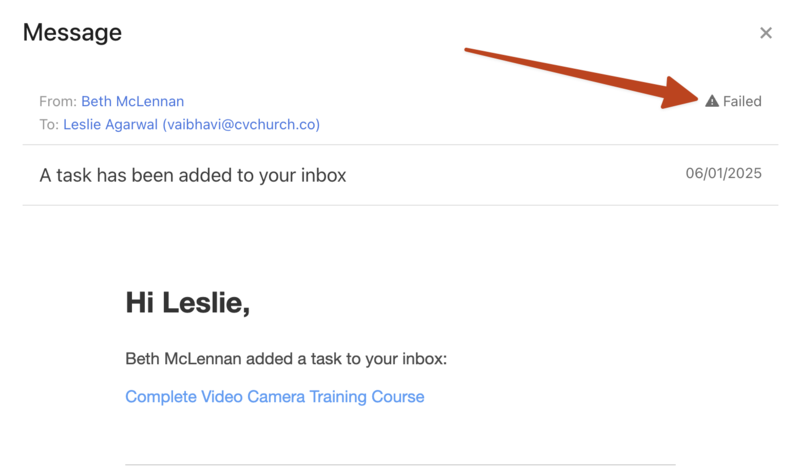
If someone mentions they didn't receive an email, or you see that an email failed to be delivered to them, check in Planning Center People to make sure their email address isn't blocked.
If they still do not receive emails after unblocking their email address, contact support for additional troubleshooting by selecting the question mark (?) in the toolbar in Planning Center.