Create team reports
On a team's members page, you can print a list of members, including their preferences and positions.
Select the People page from the top navigation in Services.
Select the Teams tab to view a list of teams in your organization.
Use the dropdown in the top left to filter the list by My Teams (teams where you're a leader or member), All Teams, Archived Teams, or specific service types.
Select a team name to open that team's member list. You can also search for a specific team using the search bar at the top.
Select All Team Members from the left sidebar to print a list of all team members, or select a specific position if you just want a list of people in that position.
Select the ⚙️ settings icon in the top right.
Choose Print from the dropdown to load the list of people in a printable format.
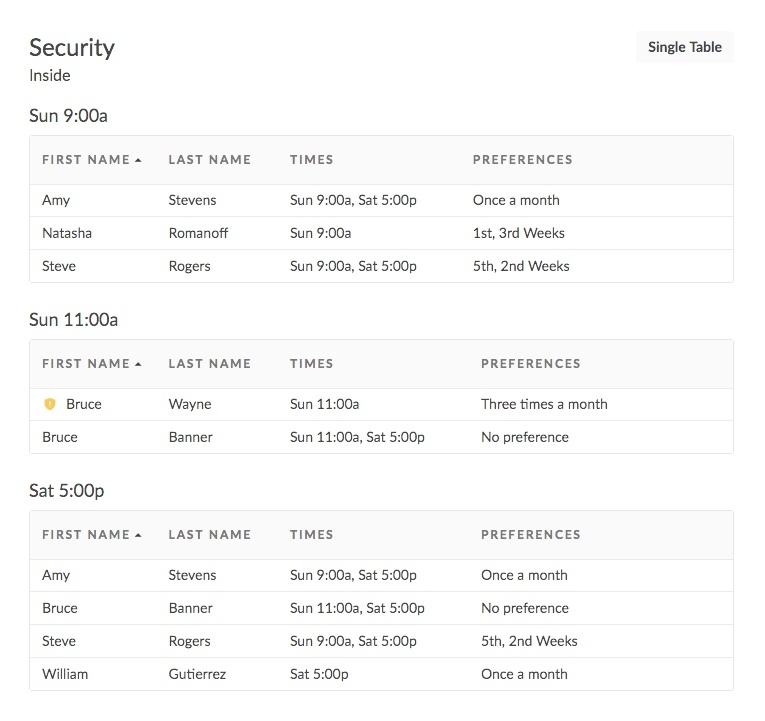
(Optional) If your team is a split team, select the Split Table button in the top right to reload the report with a separate table for each time.
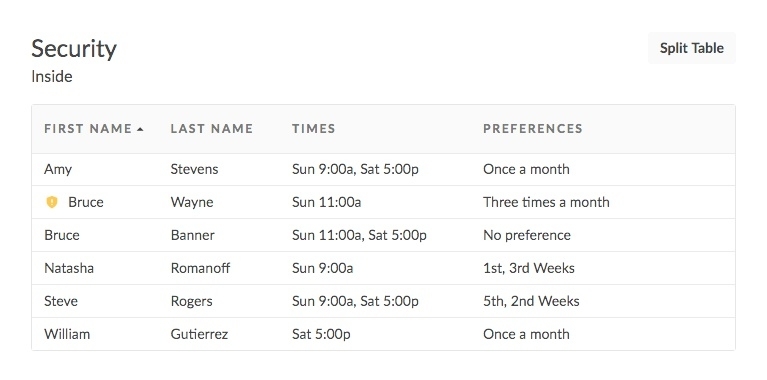
Select Single Table to go back to the original view.