Create plan reports
You can use plan reports to print your service order, scheduled team members, service times recorded in Services LIVE, plan notes, and more. You can also create your own custom plan reports.
To print a plan report:
Standard custom report examples
Services includes a few standard custom reports. Open the sections below to see examples of standard custom reports.
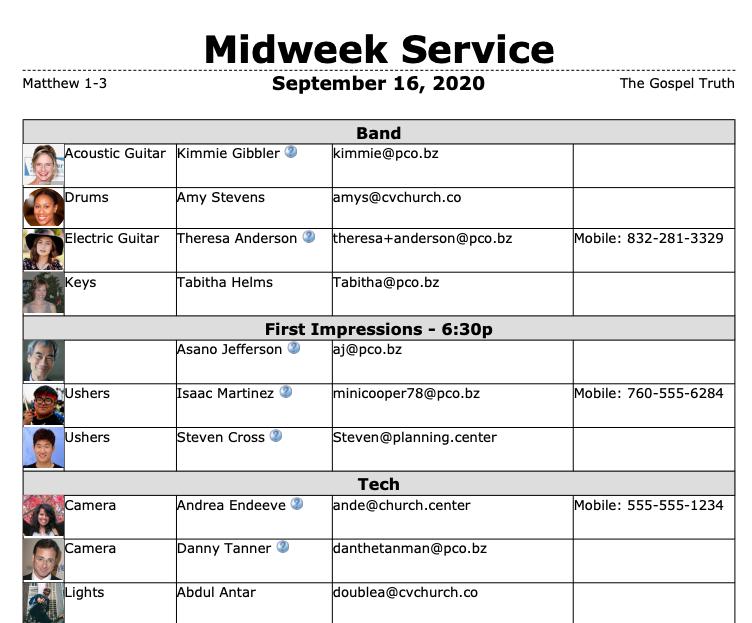
This report lists the people scheduled to teams and their contact information.
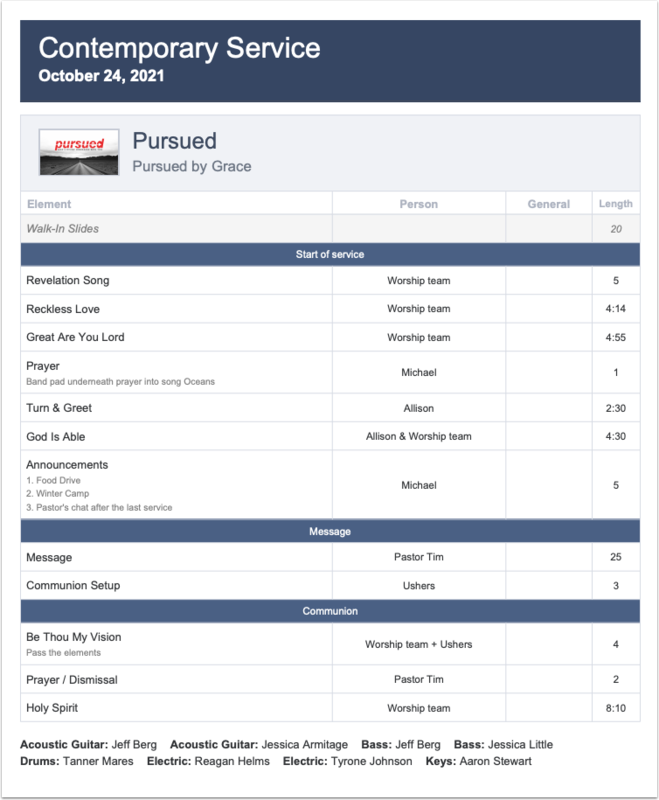
This report is printed in color and shows the service order, people, general notes, the time planned for each service element, and people assigned to specific teams.
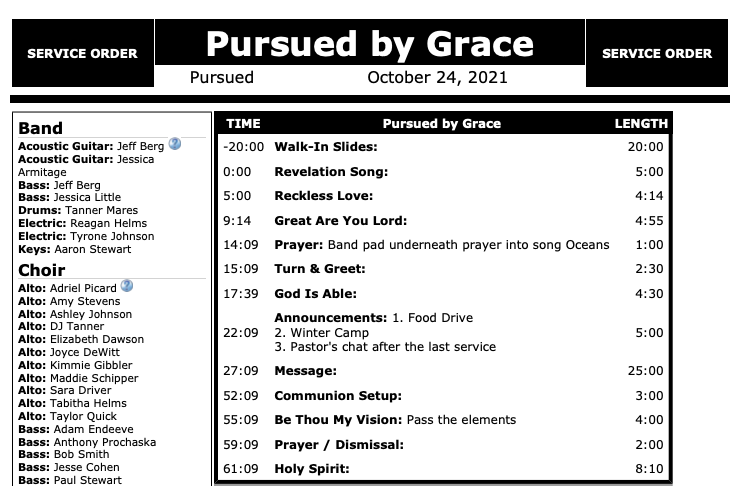
This report displays the team assignments and a simplified service order, including the schedule and duration of each item.
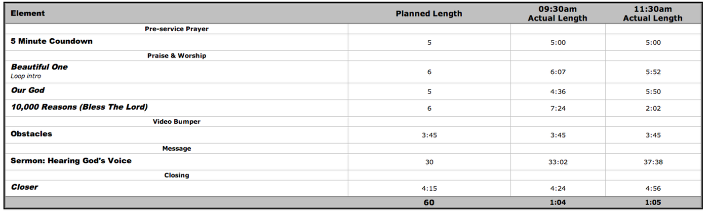
This report can be generated after a service to collect information about the planned and actual length of different service items.