
Create a bulletin
If your church uses a digital or paper bulletin, create the bulletin as a custom page. Once you publish your digital bulletin custom page, add it to your Church Center navigation!
Tip
Subscribe to the Plus or Premium Publishing plan to create custom pages.
Depending on what information you want in your bulletin, you may not even need to change it each week! Check out the table below for examples of typical bulletin elements and how to create them in Publishing.
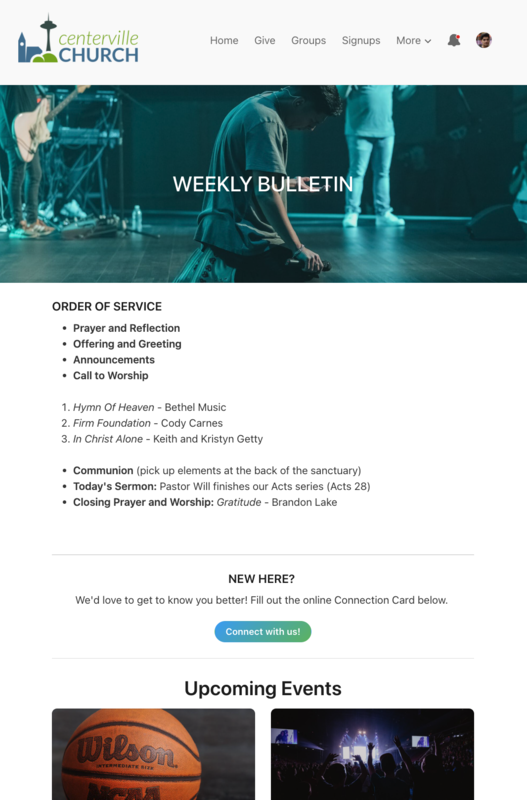
Bulletin elements
Check out the table below for examples of typical bulletin elements and how to create them in Publishing.
Bulletin element | How to create in Publishing |
Order of service | Tell people what to expect during the service by outlining those details in a text block. |
Connection card | Gather information from congregants by including a button that links to a People form. |
Events | Use Planning Center content blocks to show upcoming events and signup opportunities. |
Meet the team | Introduce your leadership team by using a grid block to display photos, names, and titles. |
Offering | Add a Giving content block to allow people to easily donate to a specific fund. |
Featured announcement | Highlight a significant event or ministry using a section header. |