Add an announcement to a station
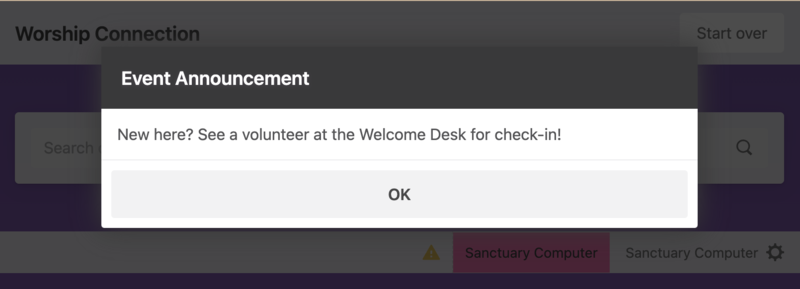
If you have information you want people to know when they check in, create an announcement that shows up on manned or self stations when people check in to an event.
Important
Announcements are informational only. There is no way to track who sees them.
People with editor permissions can add announcements to a station by using Check-Ins on a web browser.
Create an announcement
Select the Events page from the top navigation in Check-Ins.
Choose an event from the list.
Select the Settings tab from the left sidebar.
Go to the Announcement section of the settings page.
Select Create Announcement.
Enter your announcement in the text box that appears.
Select Save to automatically enable the announcement.
Warning
If a self station has the automatically turn on camera for mobile devices setting enabled, the camera will cover the announcement. When this setting is enabled, people scanning their code will not see the announcement.
Edit an announcement
Select the Events page from the top navigation in Check-Ins.
Choose an event from the list.
Select the Settings tab from the left sidebar.
Go to the Announcement section of the settings page.
Check or uncheck the Enable announcement box in the Announcement section to choose whether to display this announcement on all stations.
Select Edit Announcement to edit the announcement message.
Select Save to apply your changes.
Delete an announcement
Warning
You cannot recover an announcement once it's been deleted.
Select the Events page from the top navigation in Check-Ins.
Choose an event from the list.
Select the Settings tab from the left sidebar.
Go to the Announcement section of the settings page.
Select Delete in the bottom right of the Announcement box.
Select Yes, delete it in the confirmation popup to permanently delete the announcement.