
PrevNext
Update scheduling preferences
See also:
Scheduling preferences allow you to indicate your general availability for each team. For example, you can specify that you are only free for certain weeks or a certain number of times a month for a particular team.
Access Teams from a person's profile.
Access your own profile by tapping your profile picture in the upper right corner.
Schedulers can access other's profiles from the People page,
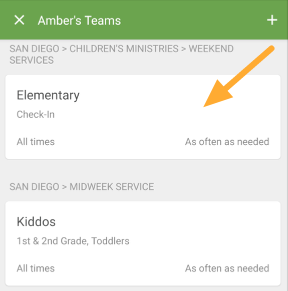
Tap the team that you want to update.
 |
Tap Schedule, and select the scheduling preference that you want.
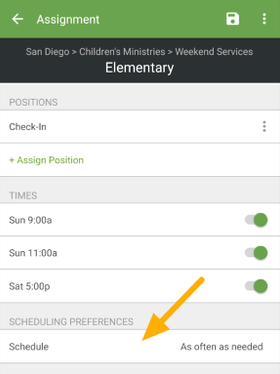 |
If you're on an Android device: Tap the save icon to save your changes.
If you're on an iOS device: Tap Save to save your changes.