Use tasks for to-do lists
Use tasks to create, track, and organize your to-do items to ensure nothing on your to-do list slips through the cracks!
You'll find tasks in the Tasks page in Home and the Planning Center mobile app.
Tip
Can't decide between a task and a People workflow? Tasks are intended for single actions on a person or for a collection of actions on a non-person, such as preparing for an event, whereas workflows are meant to guide a person through a linear, multi-step process.
Want to watch a video before you dive in? No problem! The video below shows the concepts in this article in action.
Create a task
Edit a task
Delete a task
Warning
Deleted tasks cannot be recovered.
Create a task from the toolbar
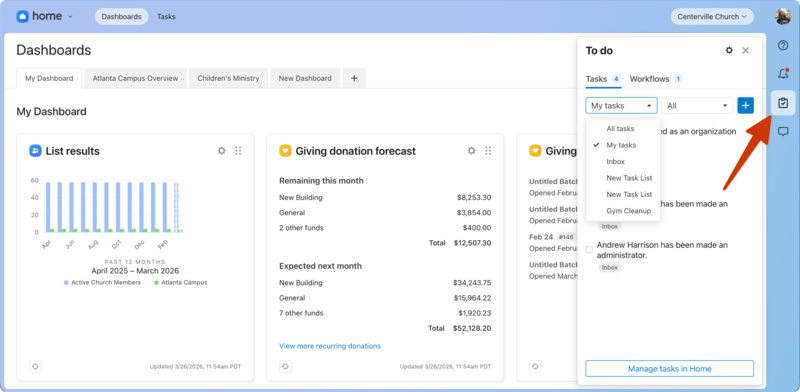
The toolbar allows you to create a task from anywhere in Planning Center while using a web browser.
Select the 📋 clipboard icon in the toolbar.
Use the first dropdown to select the list where you want to create the task.
Select the ➕ icon to create a task.
Enter the details of your task.
Select Create task.