Send in-kind donation acknowledgments
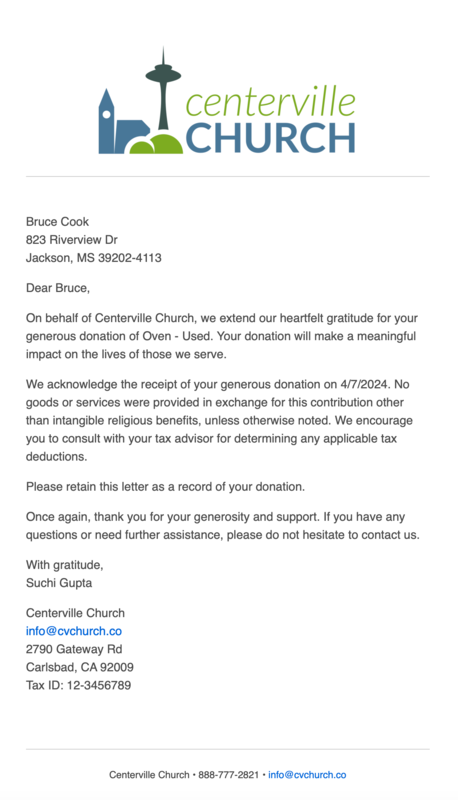
The last step in entering an in-kind donation is sending an acknowledgment letter to the donor via email. This letter serves as both a way to express gratitude to the donor and as a tax receipt.
Each country has specific guidelines for the information that should and should not be included in an acknowledgment letter, according to their governing bodies. Most countries require a tax disclaimer stating that no goods or services were exchanged.
Refer to the table for additional guidelines for your country.
Country | Guidelines |
United States |
|
Canada |
|
Australia |
|
New Zealand |
|
Turn the Send acknowledgment email toggle on to send an email to the donor. Edit the email text of the letter to make it your own and add any necessary details.
Select the 📎 paperclip icon in the toolbar to upload an attachment. You can only upload attachments up to 10MB each, up to 5 per email, for a total of 10MB.
Add images using the 🖼️ image icon in the toolbar, or drag and drop the image file directly into the editor. Refer to the image sizing guide for file size restrictions.
These emails will always be sent from the organization, not an individual.
Acknowledgment letters do not need to be sent when the in-kind donation is entered. Donations will still appear on donor profiles and statements, even if the acknowledgment was not sent.
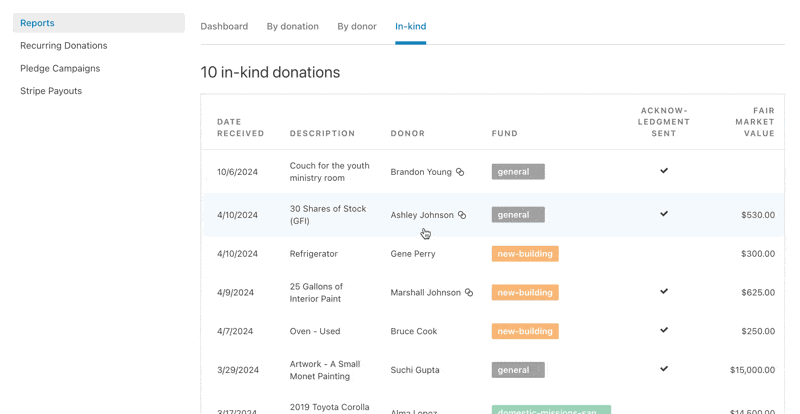
You can send an acknowledgment letter later by selecting the donation from the In-kind donations tab of a donor's profile or the Reports page.
 |