Integrate a form onto your website
You can connect a form to your church website using a direct link or the embed code.
A direct link takes the person off the page onto the Church Center app.
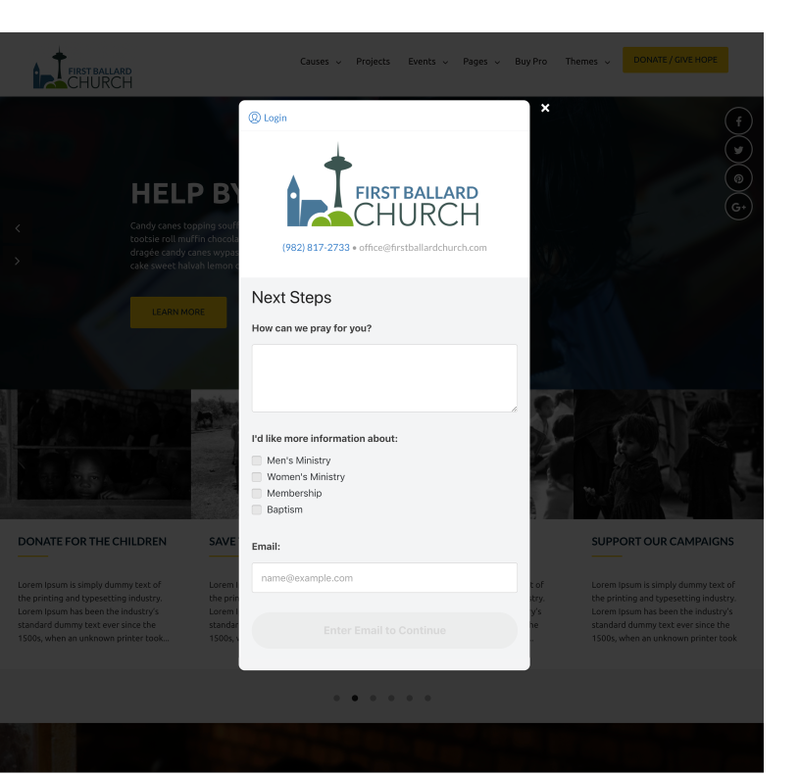
The embed code displays a pop-up.
Mobile devices don't support pop-ups, so the form will always open in a new browser window.
Tip
For either of the following options, you'll need to replace <your-form-URL> with your form's public URL, which can be found on the settings tab of your form, under "Embed".
Direct link
The easiest way is to create a direct link from your website to the Church Center page. Since this is html on your website, the style and shape of this link is totally up to you. In its simplest form, a link can be as simple as this:
<a href="your-form-URL" target="_blank" title="Form">Fill out our form!</a>
When it's formatted, it looks like this:
Change the link text to the text that fits the form you're linking.
Embed code
You can keep people on your website by embedding your form onto your website in a popup. It will look something like this:
Important
Your website must be encrypted (https) for ChurchCenterModal to work. On http websites, the donation form will always open in a new browser tab.
1. Script tag
Include the ChurchCenterModal script tag on your webpage in the <head> of your document:
<script src="https://js.churchcenter.com/modal/v1"></script>
2. Add link
Add a link to your website (the location, name, and style is up to you):
<a href="your-form-URL" data-open-in-church-center-modal="true">Fill out our form!</a>
Alternatively, if your website's content management system doesn't allow you to control the html of the link, you can also use a parameter in the URL itself:
<a href="your-form-url?open-in-church-center-modal=true">Fill out our form!</a>
Debugging tips:
If for some reason the embedded form doesn't launch, "View Source" of the web page to ensure that those two snippets of code are actually on the page.
If the link/button is present on your website but takes you to the full un-embedded form, check to see if the first snippet is present in your html and that the website you're looking at is a secure (https) website.
If your content management system doesn't allow you to edit the <head> of your document, you can put it somewhere else if needed. Just make sure it comes before the second link snippet.
Sometimes anchor tags with data attributes may not be usable due to other constraints. If a need arises to open the modal programmatically, ChurchCenterModal.open(url) is the perfect escape hatch:
var urlThatWasGeneratedProgramatically = "your-form-URL"
ChurchCenterModal.open(urlThatWasGeneratedProgramatically)
If you're a developer, you may want to interact with the ChurchCenterModal using javascript for more fine-grained control:
ChurchCenterModal.open(url): Opens a link to Church Center in the modal.ChurchCenterModal.close(): Closes the modal.ChurchCenterModal.start(): Attach the global event handler to make data-open-in-church-center-modal="true" links open in a modal. Note: this happens automatically when the script is included.ChurchCenterModal.stop(): Remove the global event handler that makes data-open-in-church-center-modal="true" links open in the modal.