Sync the metronome
You can set up the metronome to sync across all devices on the same Wi-Fi network. Ableton Link will sync tempo for anyone who enables it on the same Wi-Fi network, even across different plan pages.
Important
If two different ministries in your church want to sync the metronome at the same time, they must be on different Wi-Fi networks.
What is Ableton Link?
Link is a technology developed by Ableton that keeps Link-enabled applications in time over a local network. Link synchronizes musical beat, tempo, and phase across multiple applications running on one or more devices.
Applications on devices connected to a local network automatically discover one another and form a musical session in which each participant can perform independently. Anyone can start or stop while still staying in time. Anyone can change the tempo, and the others will follow. Anyone can join or leave without disrupting the session.
Set up Ableton Link
Each session participant must set up Ableton Link on their device. The setup process varies by device.
Tap the ☰ menu icon in the top left to open the sidebar.
Select the Plans tab.
Select a plan date from the list to open it.
Select a song from the service order to open the chart.
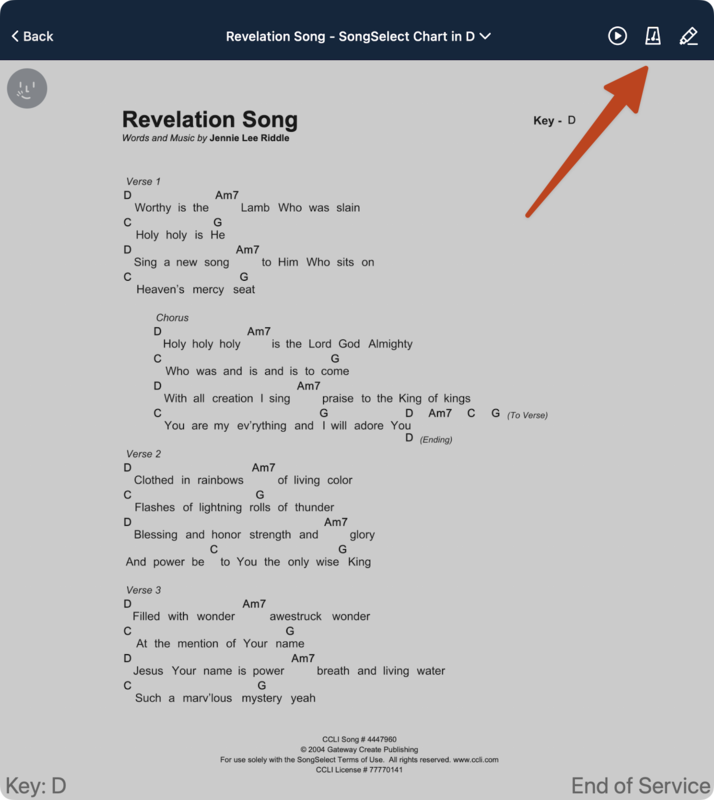
Tap the center of the screen to show the top toolbar.
Tap the metronome icon in the top right.
Tap Sync in the top toolbar to open the Metronome Sync Settings page.
Tap the Ableton Link toggle to enable linking and adjust your settings:
Sync Start/Stop: Choose whether to start or stop your metronome when a leader does. If you enable Ableton Link after a leader has already started playback, you will have to manually start yours.
Leader: Tap the toggle to make yourself the metronome leader. Check the box in the Potential Risks popup, then tap Become Leader.
Important
The metronome leader controls the metronome for everyone on the Wi-Fi network. Only one person should turn on this setting.
Pause when changing songs: If you're the leader, choose whether to pause the metronome when changing songs in the PDF view.
(Optional) If you're having issues with linking, check the latency settings and connected apps on the Metronome Sync Settings page.
Latency Settings: If your metronome is sounding a little earlier or later than other devices, you can check the latency and shift the beat.
Connected Apps: Check to make sure that all Link-enabled apps for the session are connected.
Tap the back button in the top left to return to the PDF view.
If you're the leader, tap the play button in the top left of the toolbar to start the metronome.
Tap the circled back arrow < (iPhone) or the sidebar icon (iPad) in the top left to open the sidebar.
Select the Plans tab.
Select a plan date from the list to open it.
Select a song from the service order to open the chart.
Tap the center of the screen to show the top toolbar.
Tap the metronome icon in the top right.
Tap Sync in the metronome toolbar to open the Sync Settings page.
If Ableton Link is off: Tap Ableton Link, then turn on the Ableton Link toggle to enable linking and adjust your link settings:
In-app notifications: Choose whether to receive in-app notifications when linked apps join or leave.
Sync Start/Stop: Choose whether to start or stop your metronome when a leader does. If you enable Ableton Link after a leader has already started playback, you'll need to start yours manually.
Connected Peers: View the number of link-enabled apps that are currently connected.
Tap the back arrow < in the top left to return to the Sync Settings page.
To make yourself the metronome leader: Turn the Leader toggle on, then tap Become Leader in the confirmation popup.
Once you're the leader, toggle the Pause when changing songs setting to pause the metronome when changing songs in the PDF view.
Important
The metronome leader controls the metronome for everyone on the Wi-Fi network. Only one person should turn on this setting.
Tap the blue check mark in the top right to return to the chord chart.
If you're the leader, tap the blue play button to start the metronome.
Once linking is set up, the Sync button and beat circles in the top toolbar turn blue. If Sync Start/Stop is enabled, the toolbar play button also turns blue, and if you're the metronome leader, you'll see a blue star.
Changes you make to the tempo sync immediately to other connected devices, and when you start or stop the metronome, other devices listening for start/stop commands will start or stop. If you switch to a new song, the new tempo is immediately sent to everyone's device.