Backup plan: When technology breaks
While technology is great, it sometimes doesn't work as expected, or it's slower than you need. When that happens, use this backup plan with items you already have to keep kids safe and get parents through the line quickly.
1. Write name and security number on child's label
If you already have labels on hand, the best way to keep your check-in procedure consistent is to use those labels.
Either grab a roll of labels or press the button on your printer to print a label, then write the child's name on it.
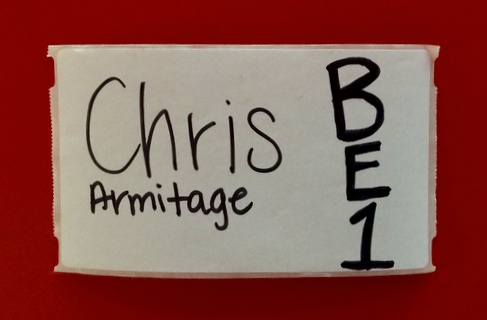
For the security number, use the first letters of the classroom name, such as Blue Elephants, and the number of children checking in to the classroom.
2. Write security number on parent label
To keep children safe, create a security label for parents to use when picking up their child.
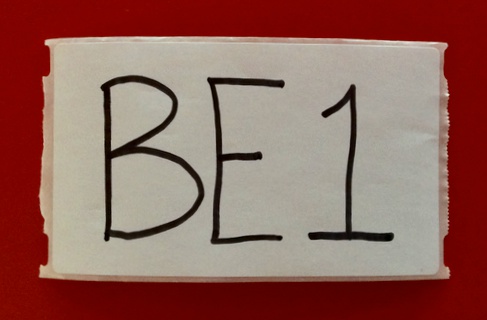
Make sure the security number matches the number on the child's label.
3. Record name on number line on class list
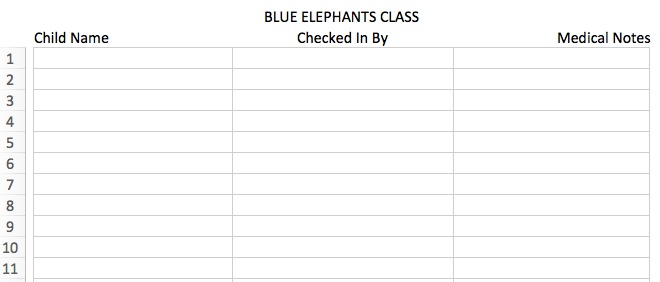
Create a class list in a table. The numbers on the side become the child's security number.
Tip
Keep a printed copy of your class lists in case computers are down.
If you use this method for multiple weeks, use a different color marker on the labels so parents don't reuse security labels.
Other churches use a stamp on kids' hands, wristbands, or laminated security tags instead of labels. Use what works best for you!
Downloadable backup plan
If you like this idea but don't want to write on lots of labels, download the backup plan below. It includes printable labels and class lists you can fill in.
Important
The labels used in the backup plan are Avery 5395: 2 1/3" x 3 3/8".
Once technology is working again, you can add this information to Check-Ins.