Filter people by permissions
In this section:
You can see each person's permission levels in Calendar by filtering the People page:
Select the People page from the top navigation in Calendar.
Select the icon with three vertical lines at the top right of the list.
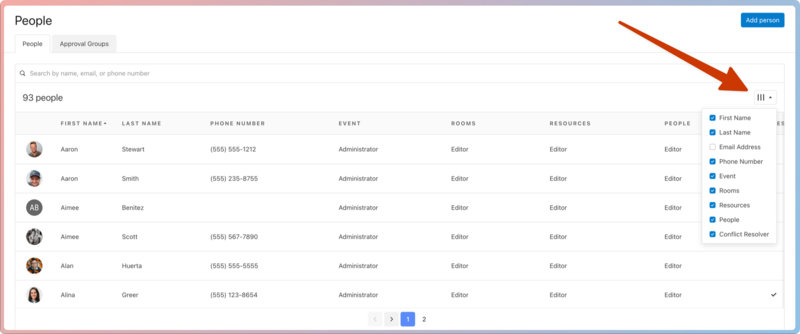
Check the boxes to choose which contact info and permission levels you want to view as columns.