Set up Church Center pages for your Planning Center products
You can set up a Church Center page for most Planning Center products to which you're subscribed. The following list explains which products you can set up on Church Center and what each product's Church Center page can be used for.
Groups: Groups on Church Center is where people can learn which groups are open, where they're located, how often they meet, and other important group details. Group members can also use group messaging to keep in touch. Make sure your groups can be seen by setting up Groups on Church Center and sharing it with your congregation.
Calendar: Congregants can access events from Calendar, if they are public. They can also bookmark those events, so they're updated with any changes. Make sure your events can be seen by setting up Calendar on Church Center and sharing it with your congregation.
People: Gather more information about people by creating forms or by inviting them to the directory. Make sure your forms and directory can be seen by setting them up on Church Center and sharing it with your congregation.
Registrations: When people want to register for a signup, they go to Church Center. Registered attendees can even view their registration history from within their profile. Make sure your signups can be seen by setting up Registrations on Church Center and sharing them with your congregation.
Giving: Online giving is hosted through Church Center. People can set up recurring payments, choose specific funds, and save their payment methods on Church Center. Make sure your giving page can be seen by setting up Giving on Church Center and sharing it with your congregation.
Check-Ins: Attendees can check into an event from the Church Center app. They can choose their event and location, and then use the QR code to scan at a station when they arrive at the event. Make sure your check-ins page can be seen by setting up Check-Ins on Church Center and sharing it with your congregation.
Turn on a product in Church Center
If a Planning Center product isn't showing up in Church Center, it may need to be published or added to the navigation. Built-in pages require a product subscription before they can be published. You can subscribe to a product in account settings by choosing any plan, including the free plan.
To publish a page:
After subscribing to the product, go to Publishing.
Select Content in the top navigation.
Locate the [Product Name] page.
If the [Product Name] page is in Draft status, select the Actions dropdown to the right of the page.
Select Publish.
Add a published page to the navigation:
In Publishing, select the Customize page from the top navigation.
In the Navigation section, select the Add item button.
In the Add item pop-up, search for the product's name.
Select it from the dropdown.
Select Save.
Select Save & Publish.
Access links
If you use Planning Center Publishing to manage your Church Center pages, you can find Church Center links on the Pages page.
Select the Content page from the top navigation in Publishing.
Select Actions to the right of the product for which you want to find a Church Center link.
Select View on Church Center to visit that product's Church Center page.
Tip
If you're using Calendar, Groups, or Registrations, you can also select the Church Center dropdown in the top right corner of the Events (Calendar), Groups (Groups), or Signups (Registrations) pages.
If you're using Giving, you can get links and embed codes from the Church Center tab of the Manage page.
Share Church Center with your congregation
Church Center is available in both web and app formats.
Church Center Web: You can link directly from your Church Center website and encourage your congregants to bookmark their URLs.
Important
Some Church Center URLs can be embedded, and some should be linked only. Check out the Embed or link your Church Center pages article for more information.
Church Center App: Your congregants can download the Church Center app for iOS and Android devices.
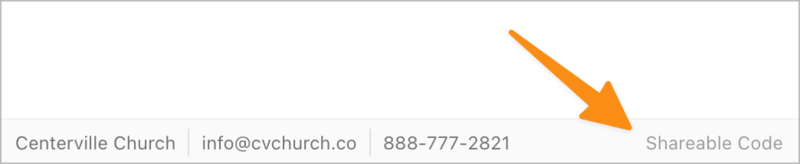
Select Get QR Code at the bottom of any Church Center web page to view and download the QR code for the page. Use this code for a church bulletin, a lobby poster, or an announcement slide. People can scan the QR code to go straight to this URL without typing it.
Tip
Print QR codes on Avery 22805 square stickers and put them in prominent places at your church!
You can create redirects—short reusable links that you control—so you can change which Church Center page they point to at anytime by going to the Customize page in Publishing and selecting the Redirects tab.