Use Church Center as a guest
In this section:
You may want to check out a church before creating a profile in Church Center. Guest mode lets you browse public information a church has made available on Church Center without logging in.
What you can view as a guest
In guest mode, you can view:
The church's calendar
Sermons
A list of groups and their public details
A list of signups
Other public pages and forms
Once you select any item that requires a login, such as requesting to join a group or checking in, you'll be prompted to log in to create one.
Use guest mode
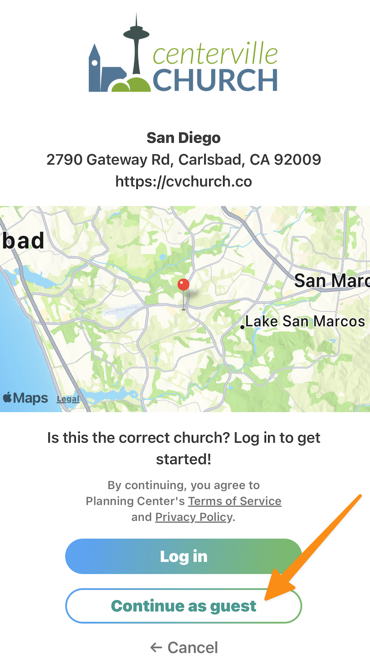
Search for a church using the Church Center mobile app.
Tap Continue as guest.
Log in to a church
Once you've explored the church as a guest and decided it's the one for you, select the profile icon at the top of the app and tap Log in to create a login.