Share your public page
Church Center holds all your signups for people to view. You can arrange the order of your signups, and then copy the URL of any Church Center page to share it from the main signups page or an individual signup.
Arrange signups
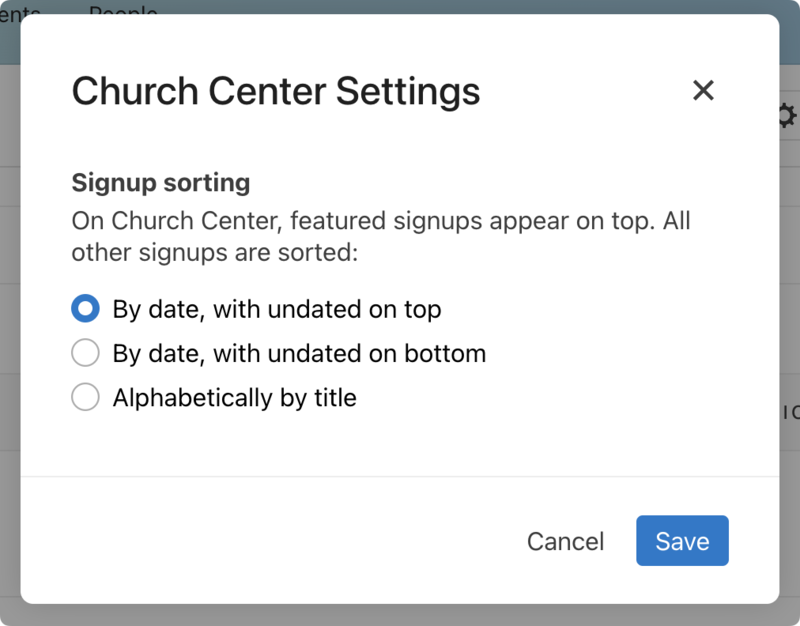
Select Update settings from this menu to change the order of how signups are displayed on Church Center.
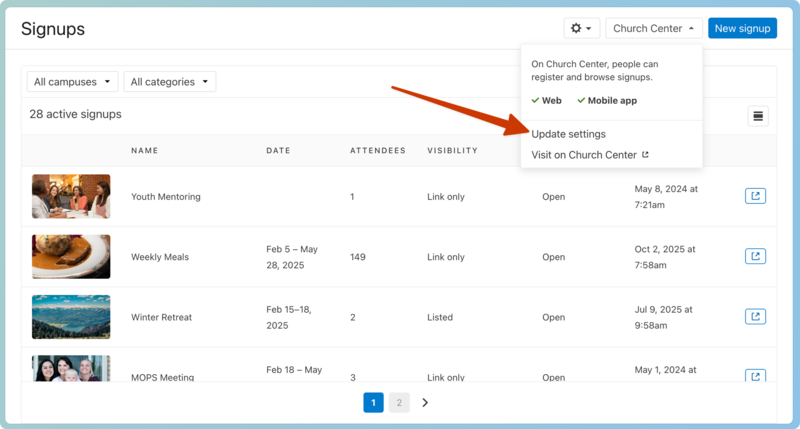
Featured signups will always display at the top of your list, but you can choose how to display the rest of your signups.
 |
Copy URL
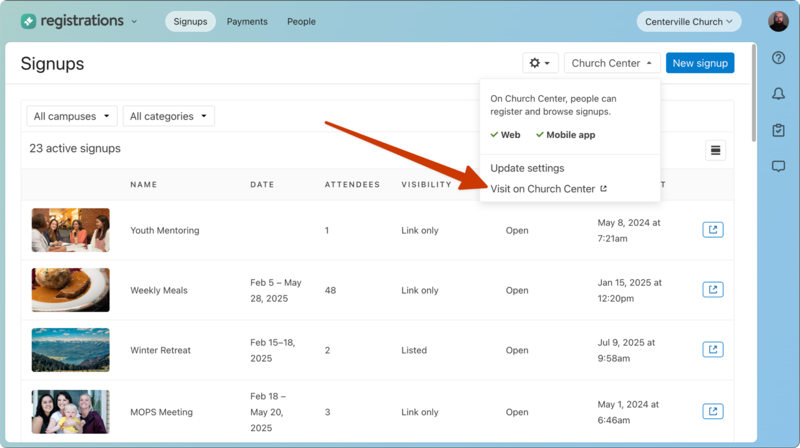
From the main Signups page, select the Church Center dropdown and select Visit on Church Center to access the public page. If you filter the page by campuses or categories, the URL will change accordingly.
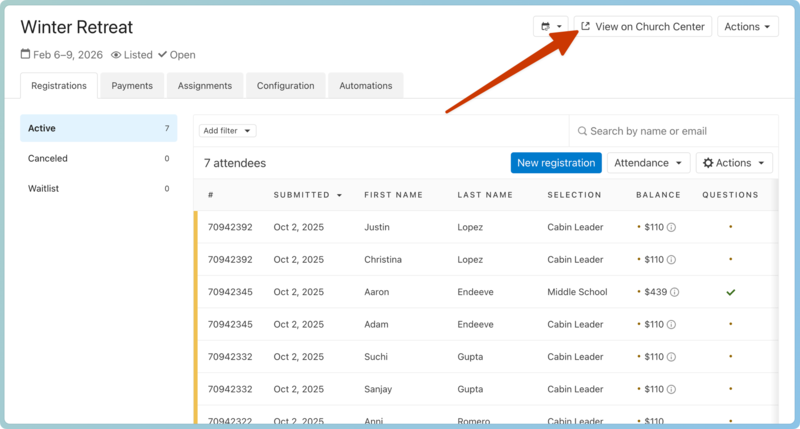
From an individual signup, select View on Church Center to go to the signup.
 |
You can share your signup by copying the link or a QR code for any public signup.
Important
If you don't see View on Church Center, your signup is unavailable for people to see. Publish the signup from the settings tab.
Select Get QR Code at the bottom of any Church Center web page to view and download the QR code for the page. Use this code for a church bulletin, a lobby poster, or an announcement slide. People can scan the QR code to go straight to this URL without typing it.
Tip
Print QR codes on Avery 22805 square stickers and put them in prominent places at your church!